


Enterprise data keeps expanding from every direction. Business applications, customer platforms, connected devices, analytics tools, backups, and AI workloads all create large volumes of information that must be stored, protected, and made available on demand.
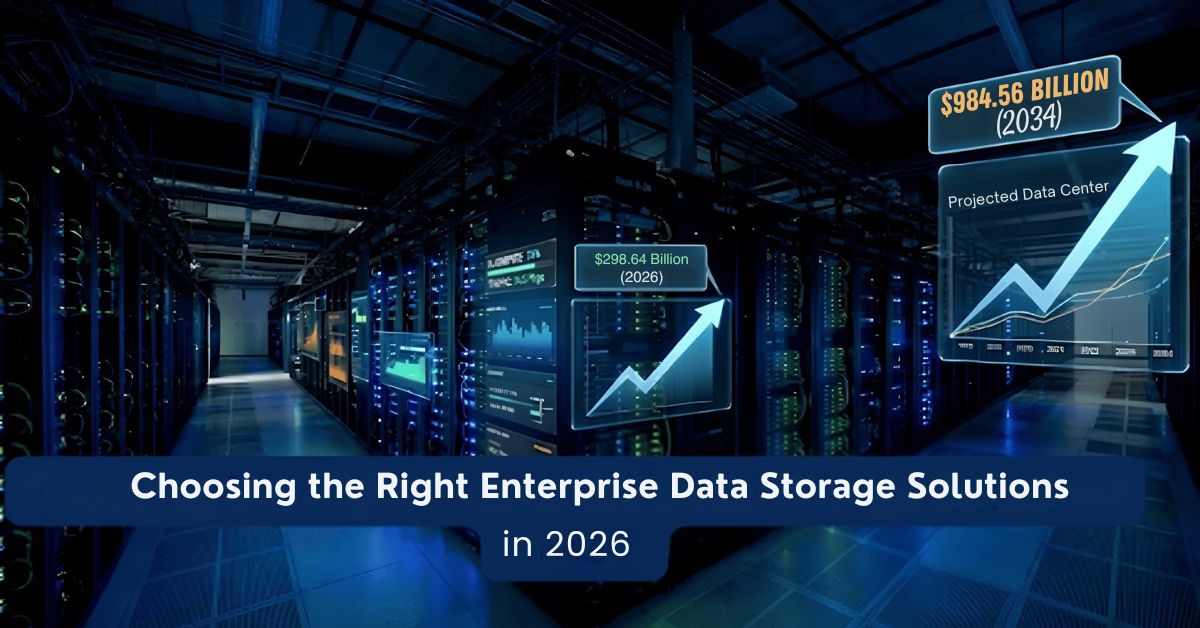
That challenge is getting bigger, not smaller. One market forecast projects the global data storage market will grow from $298.54 billion in 2026 to $984.56 billion by 2034. At the same time, cloud use is becoming standard business practice. Eurostat reported that 52.74% of EU enterprises used paid cloud computing services in 2025, and among large enterprises the share was even higher.
This matters because storage is no longer just an IT purchase. It affects application performance, cyber resilience, compliance, recovery speed, cloud flexibility, and long-term operating cost. In 2026, choosing the right enterprise data storage solutions is a strategic infrastructure decision.
Organizations that get it right can scale with less disruption. Organizations that get it wrong often face slow systems, rising costs, complex migrations, and avoidable risk.
Key Takeaways
- Enterprise storage selection should balance performance, scalability, security, reliability, and total cost of ownership.
- NAS suits file sharing, SAN supports databases, object storage fits big data, and SDS enables hybrid cloud flexibility.
- AI, analytics, and cloud growth are increasing demand for scalable storage and high-capacity enterprise flash.
- Hybrid storage architectures help enterprises combine on-prem control, cloud scalability, and cost-efficient data tiering.
What Is Enterprise Data Storage?
Definition of Enterprise Data Storage
Enterprise data storage refers to the systems and platforms used to store, organize, secure, and manage business data at scale.
These solutions are built for demanding environments. They are designed to support large user bases, critical business applications, high uptime requirements, and strict data protection policies.
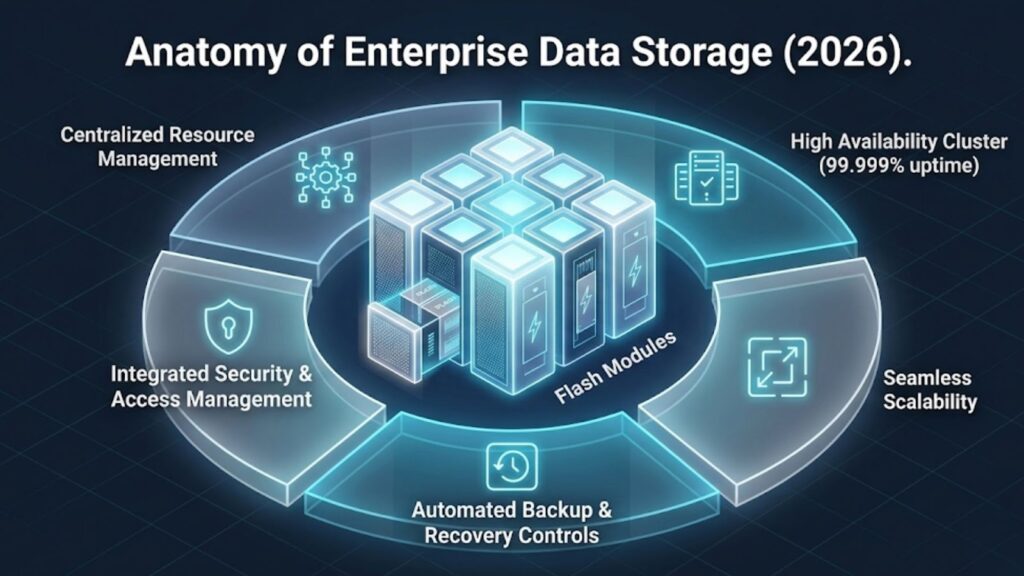
In practice, enterprise storage usually includes:
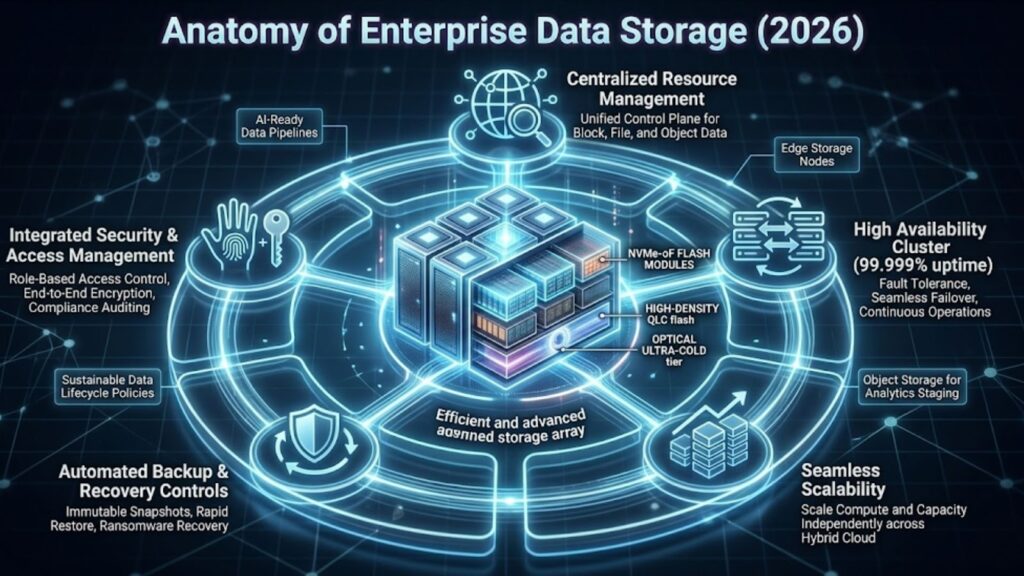
- Centralized storage resources
- Scalable infrastructure
- High availability features
- Backup and recovery controls
- Security and access management
- Monitoring and management tools
A basic file server may work for a small office. Enterprise storage is different. It must stay reliable under heavy workloads and continue to perform as data volumes grow.
Why Enterprise Storage Matters for Businesses
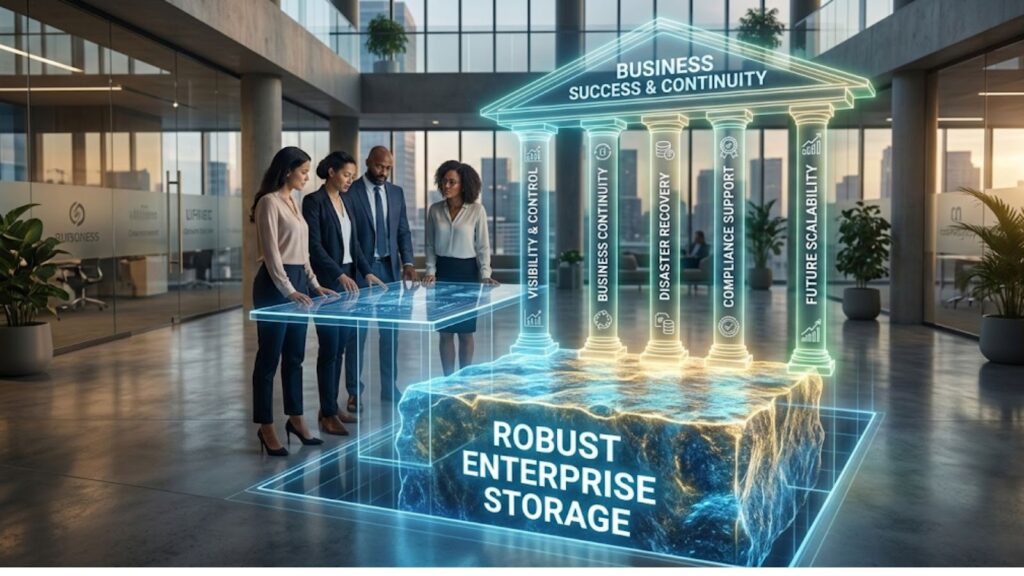
Enterprise storage plays a critical role in ensuring operational continuity and data accessibility across the organization.
Key benefits include:
- Centralized data management that improves visibility and governance
- Business continuity through resilient infrastructure
- Disaster recovery capabilities for restoring data after failures
- Compliance support for regulatory frameworks and audit requirements
Many organizations begin evaluating these capabilities when planning broader infrastructure upgrades, especially when exploring modern storage architectures that support hybrid environments.
Key Types of Enterprise Data Storage Solutions
Every storage architecture solves a different problem. The best choice depends on workload, growth pattern, and budget.
Network Attached Storage (NAS)
NAS provides file-level storage over a network. It is commonly used when teams need shared access to folders, documents, media, and general business files.
NAS works well for:
- File sharing
- Team collaboration
- Department-level storage
- Content libraries
- Home directories
Its strength is simplicity. It is often easier to deploy and manage than more complex storage platforms.
Storage Area Network (SAN)
SAN provides block-level storage over a dedicated high-speed network. It is designed for workloads that need predictable performance and lower latency.
Common SAN use cases include:
- enterprise databases
- ERP platforms
- virtualization infrastructure
- high-transaction applications
Organizations evaluating SAN deployments often compare multiple enterprise platforms to determine performance and cost trade-offs, including platforms reviewed in enterprise storage vendor comparisons
Object Storage
Object storage stores data as objects instead of files or blocks. It is especially useful for very large volumes of unstructured data.
Common use cases include:
- Cloud-native storage
- Data lakes
- Backup repositories
- Archive storage
- AI datasets
- Media and video assets
Its biggest strength is scale. Object platforms can grow very large while keeping management simpler than many traditional storage models.
Software-Defined Storage (SDS)
Software-defined storage separates storage services from specific hardware. This gives organizations more flexibility in how they build, expand, and manage storage.
SDS is attractive because it supports:
- Hardware flexibility
- Better automation
- Easier scaling
- Cloud integration
- Cost optimization
For hybrid environments, SDS often becomes the control layer that connects on-premises and cloud resources more effectively.
Table 1 — Storage Type Comparison
| Storage Type | Best For | Performance | Scalability |
| NAS | File sharing | Medium | High |
| SAN | Databases | High | Medium |
| Object Storage | Big data and archives | Medium | Very High |
| SDS | Hybrid cloud environments | High | Very High |
Key Factors to Consider When Choosing Enterprise Storage
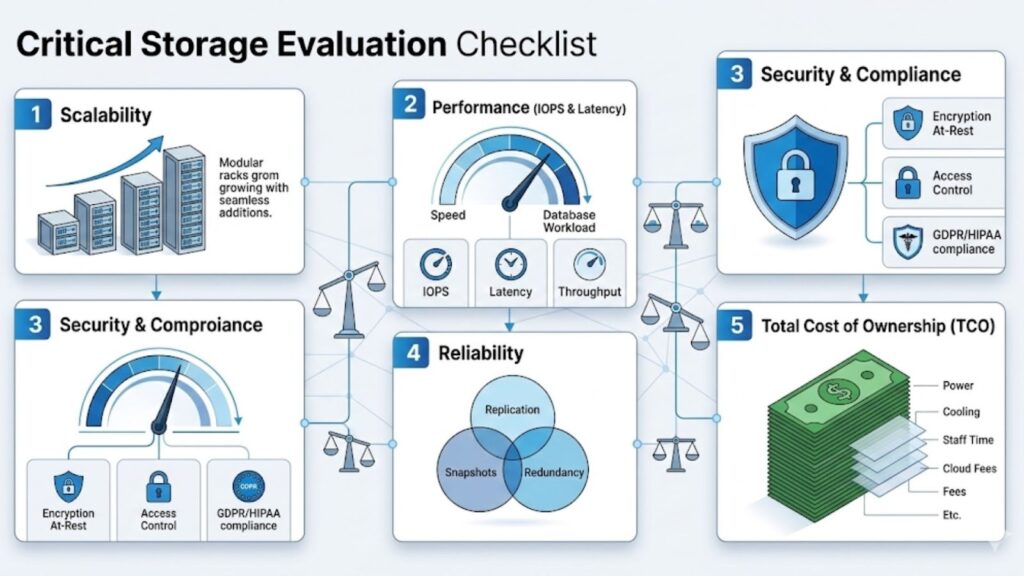
This is the heart of the decision. A strong storage choice should match the real needs of the business, not just the most impressive product sheet.
Scalability and Capacity
Data growth is rarely steady. A company may add a new analytics platform, increase retention periods, launch customer apps, or begin storing AI training and inference data. Each move changes storage demand.
That is why scalability matters from day one. Buyers should ask whether a system can expand without major disruption, support additional sites or clouds, and maintain performance as capacity grows.
Market forecasts show why this question matters. The broader storage market is expected to expand sharply over the coming years, reflecting rising enterprise demand for larger and more flexible storage environments.
A practical approach is to choose platforms that allow modular expansion rather than forklift replacement.
Performance (IOPS, Latency, Throughput)
Performance should be tied to workload, not guesswork.
Three storage terms are especially important:
- IOPS measures how many read and write operations a system can perform per second
- Latency measures how quickly the storage responds to a request
- Throughput measures how much data can move through the system over time
These metrics matter in different ways.
- A database often needs high IOPS and low latency.
- A backup repository may care more about throughput and capacity.
- A virtualized environment may need a balanced mix of all three.
KIOXIA announced a 122.88 TB NVMe SSD aimed at AI applications. Micron separately announced the PCIe 6.0-based 9650 enterprise SSD with up to 28 GB/s sequential read, and its high-capacity 6600 ION line reached 122TB, with 245TB initially described as upcoming and now listed on Micron’s product page.”
That does not mean every business needs premium flash for every workload. It means storage tiers should match real application needs.
Data Security and Compliance
Storage must protect data as well as hold it.
At minimum, enterprise buyers should look for:
- Encryption at rest
- Encryption in transit
- Role-based access control
- Snapshot and backup protection
- Audit logging
- Key management support
Compliance requirements vary, but many organizations must consider frameworks such as:
A storage platform should make policy enforcement easier, not harder. If the system cannot support access controls, retention, recovery, and reporting cleanly, it creates risk later.
Reliability and Data Protection
Enterprise storage should be designed for failure, because failure eventually happens.
Key protection features include:
- Redundancy to remove single points of failure
- RAID for drive-level protection
- Replication across devices or locations
- Snapshots for point-in-time recovery
- Disaster recovery planning for site or system failure
A real-world example makes this clearer.
A company may run its production systems on on-premises flash storage, replicate key data to a second location, and keep backup copies in cloud object storage. That layered model improves resilience without forcing every byte onto the same expensive tier.
Cost and Total Cost of Ownership (TCO)
Storage investments should be evaluated based on long-term operational cost rather than upfront hardware pricing.
Total cost of ownership typically includes:
- hardware acquisition
- software licensing
- support and maintenance
- power and cooling requirements
- administrative overhead
Energy efficiency and infrastructure design can significantly influence long-term costs. Many enterprises now evaluate storage alongside integrated data center infrastructure solutions that improve operational efficiency.
Enterprise Storage Evaluation Checklist
| Factor | Questions to Ask |
| Performance | Does it meet IOPS, latency, and throughput needs? |
| Security | Does it support encryption, access control, and auditability? |
| Scalability | Can it grow without major redesign? |
| Reliability | Does it include replication, snapshots, and recovery options? |
| Cost | What is the long-term TCO, not just the upfront spend? |
Emerging Enterprise Storage Trends in 2026

AI and Big Data Storage Requirements
AI is changing storage design. Training data, vector databases, large analytics jobs, and inference pipelines all depend on storing and retrieving large datasets efficiently.
That pressure is pushing vendors toward higher-capacity flash and better storage density. KIOXIA’s LC9 announcement and Micron’s 6600 ION line both reflect a market shift toward very large enterprise SSDs built for AI-scale environments.
For enterprise buyers, the takeaway is simple: storage planning now needs to account for more than ordinary file growth. AI-related workloads can change both performance and capacity assumptions very quickly.
Hybrid and Multi-Cloud Storage
Hybrid cloud environments combine on-premises infrastructure with public cloud storage platforms.
Advantages of hybrid storage include:
- workload flexibility
- improved disaster recovery
- data portability
- cost optimization
Many enterprises are designing hybrid architectures while upgrading server hardware and storage controllers during server storage upgrades to improve infrastructure performance.
High-Capacity SSD and Flash Storage
Flash continues to improve in both speed and density.
That matters because businesses no longer have to choose between “fast but small” and “large but slow” in the same way they once did. New enterprise SSD products are pushing capacities above 100 TB, making flash more viable for dense, performance-sensitive environments.
This will not eliminate HDDs or object storage. It does mean the flash tier is becoming more useful for a broader set of enterprise workloads.
How to Choose the Best Enterprise Storage Solution
A good selection process is structured and workload-led.
Step 1 – Identify Your Data Workloads
List the data types your business actually runs.
Examples include:
- Databases
- Analytics platforms
- Backups
- Media files
- User file shares
- Virtual machine images
- AI or machine learning datasets
This step helps prevent overbuilding storage for simple needs or underbuilding it for critical workloads.
Step 2 – Evaluate Performance Requirements
Measure the expected behavior of each workload.
Focus on:
- Required IOPS
- Read/write patterns
- Latency tolerance
- Throughput requirements
- Concurrent access needs
A file share and a transactional database should not be treated as the same storage problem.
Step 3 – Plan for Future Data Growth
Do not size only for current demand.
Growth planning should include:
- Data retention requirements
- New applications
- New users or regions
- Backup expansion
- AI and analytics projects
The best storage platform is one that can grow in a controlled, affordable way.
Step 4 – Compare Vendor Solutions
Once workload and growth needs are clear, compare vendors based on fit.
Pay attention to:
- Architecture strength
- Manageability
- Recovery features
- Cloud integration
- Licensing model
- Ecosystem support
Common enterprise vendors include Dell Technologies, NetApp, IBM, and HPE.
Best Enterprise Data Storage Solutions in 2026
This section should help readers understand not only which names are common, but why a business might choose one over another.
No single platform is best for every organization. The strongest choice depends on whether your priority is scale-out file storage, hybrid cloud operations, object storage, analytics performance, or centralized management.
Dell PowerScale
Dell PowerScale is commonly considered when organizations need large-scale file storage with strong horizontal scalability.
It is often a fit for:
- Large file repositories
- Engineering data
- Research datasets
- Media workflows
- Enterprise collaboration environments
Why businesses consider it:
- Scale-out NAS design
- Strong fit for file-heavy workloads
- Useful for growing unstructured data sets
- Often attractive for organizations standardizing on Dell infrastructure
A company managing fast-growing departmental and business-unit file data may find PowerScale easier to scale than traditional file server environments.
NetApp ONTAP
NetApp ONTAP is widely known for unified storage management and strong hybrid cloud alignment.
It is often a fit for:
- Mixed enterprise workloads
- Hybrid cloud data operations
- Organizations that want file and block capabilities together
- Environments with strong data management requirements
Why businesses consider it:
- Mature data management features
- Strong snapshot and replication capabilities
- Broad cloud integration story
- Flexible use across multiple workload types
For businesses that want consistency between on-premises and cloud-connected storage operations, ONTAP is often on the shortlist.
IBM Storage Scale
IBM Storage Scale is typically associated with high-scale data environments and demanding performance requirements.
It is often a fit for:
- Large analytics environments
- AI and data-intensive workloads
- Research computing
- High-throughput enterprise data platforms
Why businesses consider it:
- Strong parallel access model
- Good fit for large distributed data environments
- Designed for scale and demanding data movement patterns
Organizations handling large-scale analytics or complex data pipelines may see stronger value here than in storage built mainly for everyday file sharing.
HPE Alletra and HPE GreenLake Storage Options
HPE is often part of enterprise storage evaluations because it offers both infrastructure platforms and flexible consumption models.
It is often a fit for:
- Enterprises modernizing data infrastructure
- Businesses seeking operational flexibility
- Teams that want stronger service-based deployment options
Why businesses consider it:
- Broad enterprise portfolio
- Integration with HPE’s cloud-operating model
- Suitable for organizations balancing modernization and control
This can appeal to companies that want enterprise-grade storage while avoiding overly rigid buying models.
Cloudian HyperStore
Cloudian HyperStore is usually discussed in the context of object storage.
It is often a fit for:
- Backup targets
- Archive repositories
- S3-compatible private cloud storage
- Large unstructured data pools
- Data lakes
Why businesses consider it:
- Object-first design
- Strong scalability
- S3 compatibility for modern applications
- Useful for hybrid cloud and archive strategies
A business building long-term backup or archive capacity may find this more practical than expanding traditional SAN or NAS systems.
How to Compare These Solutions the Right Way
Instead of asking, “Which vendor is best?” ask:
- Which platform fits our main workload?
- Which one scales in the way we need?
- Which one supports our cloud direction?
- Which one offers the right recovery and security controls?
- Which one keeps long-term cost manageable?
That framing leads to better decisions than ranking vendors by brand recognition alone.
Vendor Comparison Table
| Vendor / Platform | Best Fit | Main Strength | Watchpoint |
| Dell PowerScale | Large file-based environments | Scale-out NAS | May be more than smaller teams need |
| NetApp ONTAP | Hybrid cloud and mixed workloads | Unified data management | Requires careful planning for best value |
| IBM Storage Scale | AI, analytics, high-scale data access | Parallel performance at scale | Better suited to advanced environments |
| HPE Alletra / GreenLake options | Modern enterprise infrastructure | Flexible operating model | Evaluation should include service model cost |
| Cloudian HyperStore | Object storage and archives | S3-compatible scale | Not a replacement for every primary workload |
Common Mistakes When Choosing Enterprise Storage

Many storage projects struggle because buyers focus on the wrong issue first.
Common mistakes include:
- Ignoring scalability
- Underestimating future data growth
- Focusing only on price
- Treating all workloads the same
- Ignoring compliance requirements
- Overbuying performance for cold data
- Underplanning backup and disaster recovery
A storage platform that seems affordable today can become expensive if it is hard to scale, hard to manage, or weak in resilience.
Conclusion
The right enterprise data storage solutions in 2026 must do more than provide capacity. They must support growth, protect data, maintain performance, and fit a business’s cloud and cost strategy.
The best choice starts with workload analysis. From there, businesses should evaluate performance needs, future growth, security requirements, reliability, and long-term TCO.
Hybrid models, object storage growth, and higher-capacity flash are shaping the market in practical ways. At the same time, rising cloud adoption and expanding storage forecasts show that enterprise data infrastructure will remain a major investment area for years ahead.
FAQs
What is enterprise data storage?
Enterprise data storage refers to large-scale storage systems designed to manage, secure, and process organizational data efficiently.
Which enterprise storage type is best for file sharing?
NAS is usually the best fit for file sharing because it is built for shared file access across teams and departments.
Is object storage better than NAS for long-term data growth?
Often yes. Object storage is generally better for very large amounts of unstructured data, backups, and archives because it offers much higher scalability.
Should every enterprise move all storage to the cloud?
Not always. Many organizations get better results from a hybrid approach that combines on-premises control with cloud flexibility.
What matters more: SSD speed or storage capacity?
That depends on the workload. Databases and latency-sensitive applications often need speed first. Backups, archives, and large repositories often prioritize capacity and cost efficiency.
How often should enterprises review storage strategy?
At minimum, storage strategy should be reviewed whenever major workload, compliance, or growth changes occur. For fast-growing organizations, quarterly review is often more realistic than annual review.