


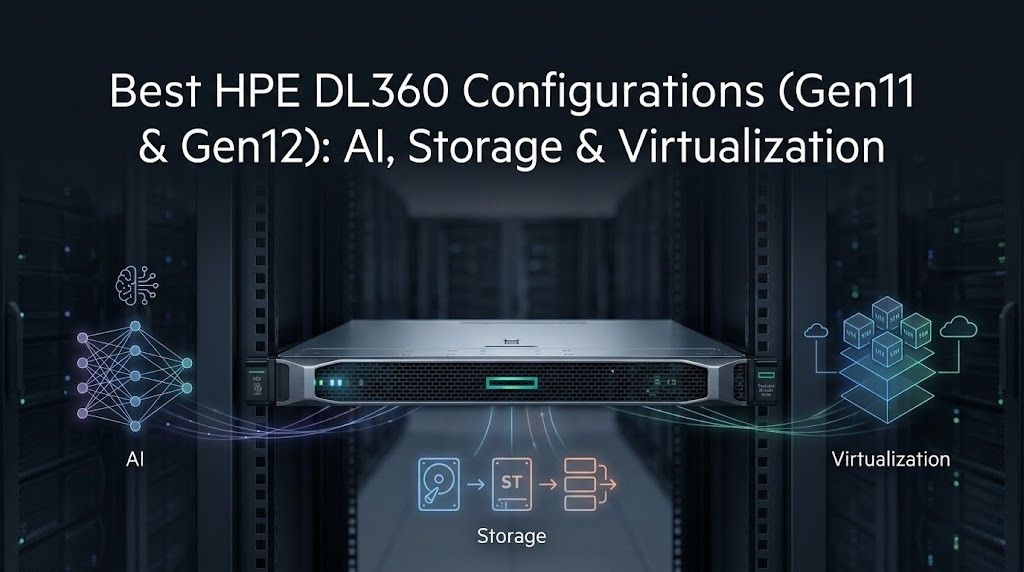
Choosing the right HPE DL360 configuration starts with the workload. A server built for virtualization may not be the best fit for storage-heavy applications or AI-ready infrastructure.
HPE DL360 Gen11 and Gen12 both deliver strong 1U performance, but they support different priorities. Gen11 suits mainstream enterprise workloads, while Gen12 offers more room for growth with newer compute, faster memory, and denser storage options.
This guide compares the best HPE DL360 Gen11 and Gen12 configurations for virtualization, storage, and AI-ready deployments. It also explains how HPE 872479-B21 and HPE 881457-B21 fit different storage strategies, which helps when planning server storage upgrades.
Key Takeaways
- HPE DL360 Gen12 suits AI-ready and dense NVMe workloads better, while Gen11 remains strong for mainstream enterprise virtualization.
- Gen12 adds Intel Xeon 6, faster DDR5 memory, iLO 7, and broader E3.S NVMe scalability.
- For most SAS storage roles, HPE 881457-B21 offers better bay efficiency than HPE 872479-B21.
- The best DL360 configuration depends on workload priorities: AI, virtualization density, storage performance, or lifecycle value.
HPE DL360 Gen11 vs HPE DL360 Gen12

Performance and platform differences
HPE DL360 Gen11 is a strong fit for mainstream enterprise environments. It is well suited for virtualization, databases, and general business applications that need stable performance in a compact 1U platform.
HPE DL360 Gen12 is built for organizations that want more compute headroom and a longer platform lifecycle. It is better positioned for newer workloads, including denser virtualization and AI-ready deployments.
Gen11
- Supports 4th and 5th Gen Intel Xeon Scalable processors
- Best for proven enterprise workloads
- Strong fit for virtualization and mixed infrastructure
- Good choice when value and platform maturity matter most
Gen12
- Supports Intel Xeon 6 processors
- Delivers higher compute density
- Better for newer, more demanding deployments
- Stronger fit for AI-ready and next-cycle infrastructure
Memory, PCIe, and storage scalability
Both platforms support modern enterprise memory and expansion, but Gen12 gives more room for future growth. Gen11 already offers the core features many organizations need, while Gen12 is better for denser, faster storage designs.
Gen11
- Supports DDR5 memory
- Includes PCIe Gen5 expansion
- Works well with balanced SSD and SAS storage layouts
- Fits standard enterprise growth needs
Gen12
- Supports faster memory speeds
- Expands storage flexibility with denser NVMe options
- Better suited for E3.S and flash-heavy configurations
- Offers stronger scalability for high-speed data workloads
Management and security updates
Gen11 relies on HPE iLO 6, which already provides a strong remote management layer with security features, automation support, and centralized control. For many IT teams, that remains fully sufficient.
Gen12 introduces HPE iLO 7 and HPE Compute Ops Management support, giving administrators a newer operational model for distributed server fleets. The improvement is not only cosmetic.
For organizations standardizing remote lifecycle management, firmware governance, and secure administration, Gen12 delivers a more current platform.
Which generation fits which workload
In practical buying terms:
- Choose Gen11 for mainstream virtualization, branch consolidation, business apps, and mixed enterprise roles where value and proven compatibility matter most.
- Choose Gen12 for AI-ready infrastructure, denser NVMe storage, fresh virtualization deployments, and longer lifecycle planning.
- Choose based on the workload, not only the generation number. A well-sized Gen11 can outperform an oversized Gen12 purchase from a value standpoint.
HPE DL360 Gen11 vs Gen12 Comparison Table
| Feature | HPE DL360 Gen11 | HPE DL360 Gen12 |
| Processor family | 4th/5th Gen Intel Xeon Scalable | Intel Xeon 6 |
| Max cores | Up to 64 per processor | Up to 144 cores |
| Max memory | Up to 8 TB | Up to 8 TB |
| Memory speed | Up to 5600 MT/s | Up to 6400 MT/s |
| PCIe support | PCIe Gen5 | PCIe Gen5 |
| GPU support | Limited accelerator use | Up to 3 single-wide NVIDIA L4 GPUs |
| Storage flexibility | SFF-focused enterprise layouts | LFF, SFF, EDSFF including dense E3.S NVMe |
| Management | HPE iLO 6 | HPE iLO 7 + Compute Ops Management |
| Best fit | Proven enterprise workloads | AI-ready and next-cycle infrastructure |
Best HPE DL360 Gen11 Configurations

Best configuration for virtualization
For virtualization, the best Gen11 configuration is usually a balanced dual-socket build with enough memory to support VM density without overpaying for idle compute.
A practical profile includes two Intel Xeon Scalable processors, 768 GB to 1.5 TB of DDR5 memory, mirrored boot media, and a reliable SSD-based datastore tier.
A strong Gen11 virtualization build often looks like this:
- 2x Intel Xeon Scalable CPUs with a balanced core count
- 768 GB to 1.5 TB DDR5 memory
- RAID1 boot SSDs or dedicated boot media
- 4 to 8 enterprise SSDs for VM datastore capacity
- Dual 25GbE networking for host and storage traffic
- Standard HPE iLO management for remote operations
This configuration works well for VMware, Hyper-V, and similar hypervisor environments because it emphasizes density, reliability, and predictable I/O rather than extreme specialization.
Best configuration for storage workloads
For storage-oriented Gen11 deployments, the goal shifts from VM density to drive layout and capacity efficiency.
This is where SAS storage still has value, especially in environments that need dependable active storage, backup targets, or mixed access patterns without moving entirely to NVMe.
A practical Gen11 storage profile includes:
- 2x Xeon Scalable processors with moderate core counts
- 512 GB to 1 TB memory
- Smart Array or HBA depending on the storage stack
- 8 to 10 SFF drive bays populated for capacity and tiering
- 10K SAS HDDs for active storage pools
- SSDs for cache or hot data where needed
In these scenarios, thoughtful storage architecture planning matters more than selecting the highest-capacity drive alone.
Best configuration for mixed enterprise workloads
For general enterprise use, Gen11 is often at its best in a balanced build that can handle SQL, ERP, file services, line-of-business applications, and moderate virtualization without becoming overly specialized.
Recommended mixed workload profile:
- 2x Intel Xeon Scalable processors
- 512 GB to 768 GB DDR5 memory
- Mirrored boot drives
- 4 to 6 SSDs or a hybrid SSD/HDD layout
- 10/25GbE networking
- Redundant power and standard enterprise management
This is usually the safest Gen11 buying path for organizations that want one compact platform to support several business functions well.
Best HPE DL360 Gen12 Configurations

Best configuration for AI-ready workloads
Gen12 is the better DL360 generation for AI-ready infrastructure because HPE explicitly supports up to three single-wide NVIDIA L4 GPUs in the platform.
In a 1U server, that makes Gen12 less of a full model-training system and more of a smart fit for inference, retrieval support, edge AI, data preparation, and GPU-backed application acceleration.
A strong AI-ready Gen12 profile includes:
- 2x Intel Xeon 6 processors
- 1 TB to 2 TB DDR5 memory
- Up to 3 single-wide GPUs where the workload supports them
- High-speed NVMe or E3.S storage
- 25GbE, 50GbE, or 100GbE networking depending on data flow
- Cooling and power sized for accelerator use
For businesses aligning this type of build with AI server planning, the main value is flexibility. The platform can support AI-adjacent tasks without forcing a jump to a much larger chassis class.
Best configuration for virtualization
Gen12 is also an excellent fit for modern virtualization clusters. The higher core count ceiling, faster memory, and stronger local NVMe options make it attractive for dense host consolidation or new private cloud builds.
Recommended profile:
- 2x Intel Xeon 6 processors
- 1 TB to 2 TB DDR5 memory
- RAID1 boot drives
- 6 to 10 NVMe drives for local datastore or caching
- 25/100GbE networking
- HPE iLO 7 for lifecycle management
Organizations building new clusters rather than extending older ones will often find that Gen12 offers better long-term value, even if the upfront cost is higher.
Best configuration for high-performance storage
Where Gen12 separates itself most clearly is compact high-speed storage. The support for EDSFF and dense front-access NVMe options gives it a clear advantage in 1U flash-heavy deployments.
Recommended profile:
- Intel Xeon 6 processors
- 512 GB to 1 TB memory
- E3.S or SFF NVMe layout
- High-bandwidth networking
- Software-defined storage or fast local data services
This is a strong design for analytics staging, high-speed file services, compact all-flash infrastructure, and storage-heavy application tiers.
Best Gen11 and Gen12 Configurations Table
| Workload | Best Gen11 Configuration | Best Gen12 Configuration |
| Virtualization | Dual Xeon Scalable, 768 GB–1.5 TB RAM, SSD datastore, 25GbE | Dual Xeon 6, 1–2 TB RAM, NVMe datastore, 25/100GbE |
| Storage workloads | Dual Xeon, 512 GB–1 TB RAM, 8–10 SFF drives, SSD/HDD mix | Xeon 6, 512 GB–1 TB RAM, dense NVMe or E3.S layout |
| Mixed enterprise | Balanced dual CPU, 512–768 GB RAM, hybrid storage | Faster DDR5, newer management, stronger lifecycle value |
| AI-ready | Light accelerator support only | Xeon 6, high DDR5, up to 3 single-wide GPUs |
HPE 872479-B21 vs HPE 881457-B21

Specification comparison
HPE 872479-B21 is a 1.2 TB 12G SAS 10K SFF mission-critical hard drive in a smart carrier. HPE 881457-B21 is a 2.4 TB 12G SAS 10K SFF mission-critical hard drive, also in a smart carrier, and HPE lists it with 512e formatting.
Both are designed for enterprise SAS environments where reliability, platform validation, and consistent behavior are more important than raw flash-level speed.
The basic difference is simple: 881457-B21 delivers twice the capacity in the same form factor. That makes it easier to build denser active storage or backup pools without consuming additional bays.
Best use case for each drive
HPE 872479-B21 is a sensible fit for:
- Smaller RAID sets
- Legacy storage tiers
- Lower-capacity mirrored environments
- Existing systems where capacity demand is modest
HPE 881457-B21 is a better fit for:
- Denser active storage pools
- Backup-to-disk targets
- General-purpose SAS capacity expansion
- Buyers who want more usable capacity per bay
In most current deployments, the 2.4TB SAS drive is the more practical option because drive bays are limited in 1U systems.
Which drive is better for boot, storage, and backup
For boot, neither drive is the ideal first choice if SSD-based mirrored boot is available. HDD boot is still workable in legacy or cost-sensitive environments, but it is no longer the preferred design.
For primary storage, 881457-B21 is generally better because it offers more capacity in the same footprint.
For backup or secondary storage, both can work. If the goal is lower-cost capacity with modest requirements, the 1.2TB SAS model may still be enough. If bay efficiency matters, 881457-B21 is the stronger overall choice.
| Specification | HPE 872479-B21 | HPE 881457-B21 |
| Capacity | 1.2 TB | 2.4 TB |
| Interface | SAS 12G | SAS 12G |
| Form factor | 2.5-inch SFF | 2.5-inch SFF |
| Drive class | Mission-critical HDD | Mission-critical HDD |
| Rotation speed | 10K RPM | 10K RPM |
| Carrier | Smart Carrier | Smart Carrier |
| Sector format | Enterprise SAS format | 512e |
| Best fit | Smaller RAID sets, legacy tiers | Denser storage pools, backup, general SAS storage |
Comparison With Similar / Nearest Products
HPE DL360 Gen12 vs nearest competing 1U servers
The nearest Gen12 competitor is Lenovo ThinkSystem SR630 V4. Both are modern dual-socket 1U servers aimed at virtualization, compact compute, and dense enterprise infrastructure.
HPE’s main strengths are its ProLiant management stack, security posture, and flexible AI-ready positioning. Lenovo’s appeal is typically strongest in environments already standardized on ThinkSystem platforms.
HPE DL360 Gen11 vs nearest competing 1U servers
The nearest Gen11 competitors are Dell PowerEdge R660 and Lenovo ThinkSystem SR630 V3. All three target dense 1U enterprise computers.
HPE DL360 Gen11 stands out most when the organization already values HPE’s remote management model, ecosystem consistency, and balanced design for general business infrastructure.
HPE 872479-B21 vs similar enterprise SAS drives
Comparable alternatives include other vendor-certified 1.2 TB 10K SAS SFF enterprise drives.
In real-world buying, the deciding factor is often not marginal performance. It is firmware validation, compatibility, and support inside the server platform.
HPE 881457-B21 vs similar enterprise SAS drives
Comparable 2.4 TB 10K SAS SFF enterprise drives exist across other server ecosystems, but HPE-certified options remain attractive in ProLiant environments because they reduce compatibility uncertainty and support cleaner lifecycle management.
HPE vs Similar / Nearest Products Comparison Table
| HPE Product | Nearest Similar Product | Main Advantage |
| HPE DL360 Gen12 | Lenovo SR630 V4 | Strong HPE management, security, and AI-ready 1U design |
| HPE DL360 Gen11 | Dell PowerEdge R660 / Lenovo SR630 V3 | Proven value for mainstream enterprise infrastructure |
| HPE 872479-B21 | 1.2 TB 10K SAS enterprise SFF drives | Good fit for validated HPE legacy-capacity tiers |
| HPE 881457-B21 | 2.4 TB 10K SAS enterprise SFF drives | Better capacity-per-bay in HPE SAS storage pools |
How to Choose the Right DL360 Configuration

For AI workloads
Choose Gen12 if the workload needs GPU support, high-speed NVMe, or room for future inference growth. In a 1U server, that flexibility is important. It allows the platform to support AI-adjacent roles without forcing an immediate move to a larger GPU chassis.
For virtualization environments
Choose Gen11 when the priority is proven value, stable compatibility, and cost-efficient VM density. Choose Gen12 when the organization wants a longer refresh cycle, more aggressive host consolidation, or faster local storage for modern hypervisor clusters.
For storage-heavy deployments
Choose Gen11 for SAS-heavy active storage, moderate-capacity application data, and practical mixed-drive layouts. Choose Gen12 for flash-first designs where dense NVMe and higher throughput are central to the storage plan.
For budget and lifecycle value
If budget is the main concern and the workloads are conventional, Gen11 remains a strong and reasonable choice.
If the business expects growth, modernization, or a longer lifecycle, Gen12 can justify the higher upfront investment. This is often where cost model comparisons become useful during server planning.
Workload Selection Table
| Priority | Best Choice |
| Lowest acquisition cost | DL360 Gen11 |
| Best long-term virtualization platform | DL360 Gen12 |
| AI-ready 1U deployment | DL360 Gen12 |
| SAS-based active storage | DL360 Gen11 or Gen12 |
| Dense NVMe flash in 1U | DL360 Gen12 |
| Best balance for mixed business workloads | DL360 Gen11 for value, Gen12 for future growth |
Final recommendation
Choose HPE DL360 Gen11 when the goal is dependable enterprise performance and better near-term value. Choose HPE DL360 Gen12 when the priority is a more future-ready platform for virtualization growth, dense NVMe, and AI-ready infrastructure.
Between the two drives, HPE 881457-B21 is the stronger all-around storage option, while HPE 872479-B21 is the better fit for smaller-capacity or lower-cost tiers.
If needed, I can also produce this as a cleaner CMS-ready version with no citations and a more polished SEO formatting pass.
Need the Right HPE DL360 Configuration for Your Workload?
Catalyst Data Solutions Inc helps businesses choose, source, and deploy the right HPE DL360 Gen11 or Gen12 server and enterprise storage configuration for AI, virtualization, and storage workloads.
Their team supports planning across HPE server sizing, GPU-backed infrastructure, storage upgrades, and hybrid environment design.
Buyers comparing platform direction can review their work on GPU rollout planning and hybrid environment strategy before finalizing a DL360 build.
FAQs
Is HPE DL360 Gen12 better than Gen11 for virtualization
Yes. Gen12 offers more compute headroom, faster memory, and better NVMe flexibility. Gen11 is still a strong value option for standard virtualization.
Which drive is better: HPE 872479-B21 or HPE 881457-B21
HPE 881457-B21 is better for most use cases because it offers more capacity per bay. HPE 872479-B21 fits smaller or lower-cost storage tiers.
Which DL360 configuration is best for AI
DL360 Gen12 is the better choice for AI-ready workloads because it supports newer CPUs, faster memory, NVMe, and GPU options.
Which configuration is best for storage workloads
Gen11 is a good fit for SAS-based storage and balanced value. Gen12 is better for high-speed NVMe and denser flash storage.
Are 10K SAS drives still a good choice for enterprise servers
Yes. They are still useful for backup, active archive, and general business storage, but SSD and NVMe are better for high-performance workloads.