


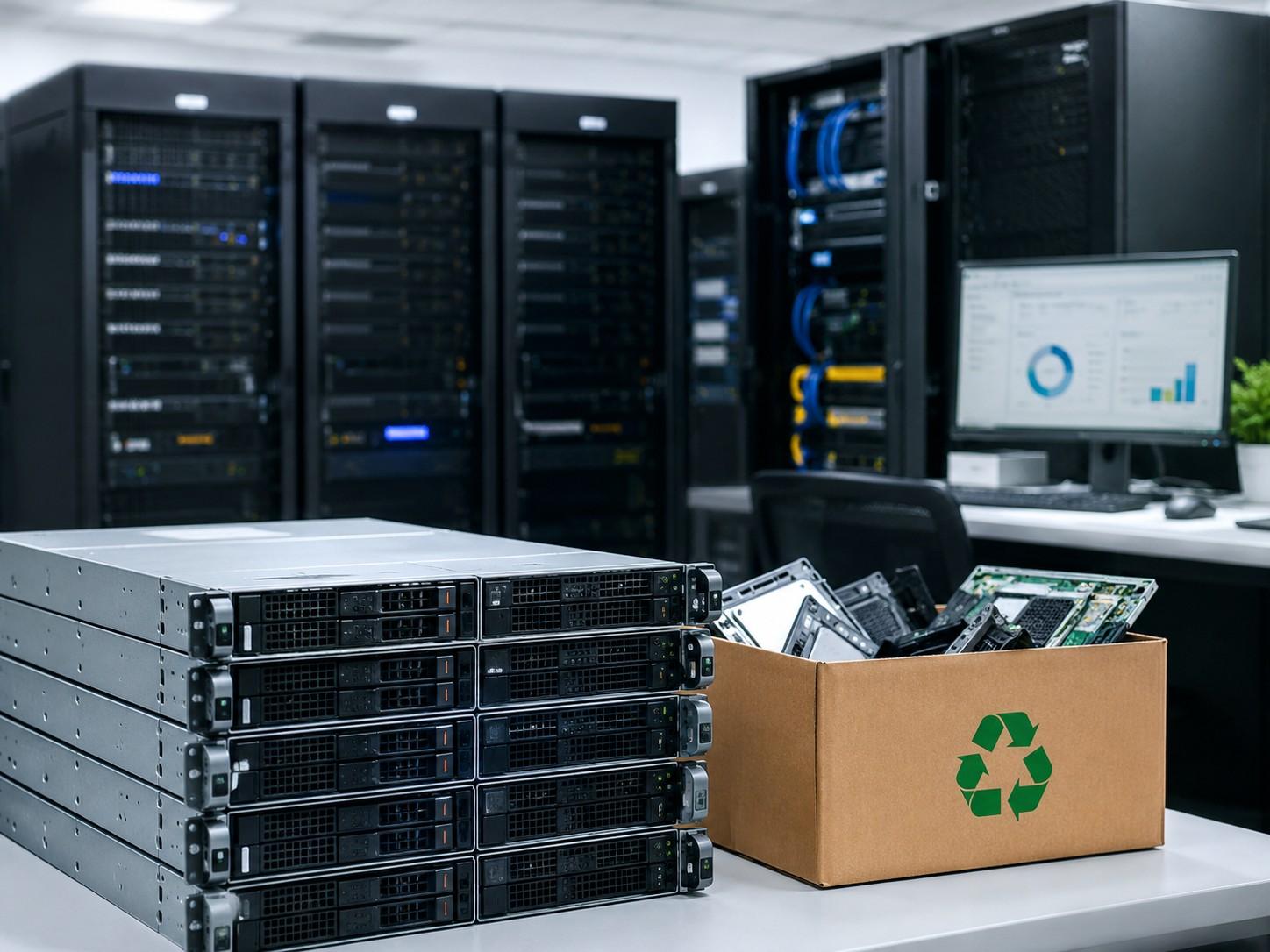
A server upgrade solves one problem but creates another: what happens to the old enterprise servers left behind? These systems may no longer run production workloads, but they can still contain sensitive data, useful parts, resale value, and environmental risk.
Without a clear plan, retired servers can sit in storage, lose value, expose data, or become e-waste. A strong upgrade plan includes decommissioning, data migration, data sanitization, asset audit, resale, refurbishment, recycling, or internal reuse.
What Happens to Old Enterprise Servers?
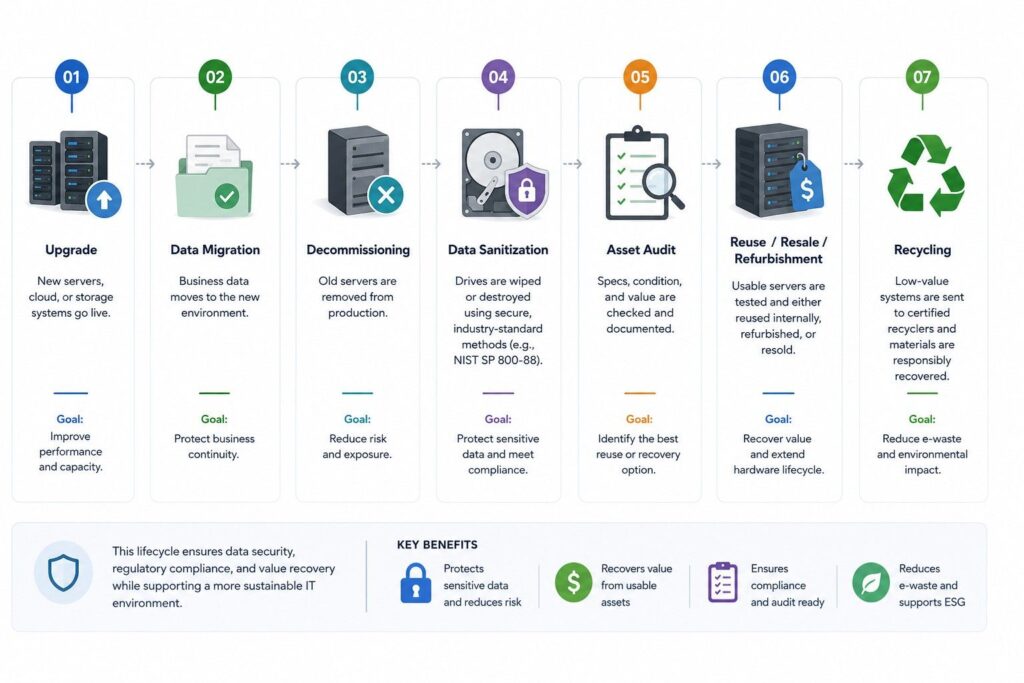
After a server upgrade, old enterprise servers usually go through IT asset disposition, also called ITAD. This process tracks the asset, protects the data, checks resale value, and decides whether the server should be reused, refurbished, resold, harvested for parts, donated, or recycled.
| Stage | What Happens | Main Goal |
| Upgrade | New servers, cloud, or storage systems go live | Improve performance and capacity |
| Data migration | Business data moves to the new environment | Protect continuity |
| Decommissioning | Old servers are removed from production | Reduce risk |
| Data wiping | HDDs and SSDs are sanitized or destroyed | Protect data |
| Asset audit | Specs, condition, and value are checked | Find recovery options |
| Resale/refurbishment | Usable servers are tested and resold | Recover value |
| Recycling | Low-value systems go to certified recyclers | Reduce e-waste |
This lifecycle matters because many old servers still have value after an upgrade. Dell PowerEdge, HPE ProLiant, Lenovo ThinkSystem, Cisco UCS, and Supermicro systems may support secondary workloads, parts programs, or refurbished server demand.
For companies managing refresh cycles, a planned circular IT model can reduce waste while keeping useful hardware in service longer.
Step-by-Step Server Decommissioning Process
Server decommissioning is the controlled removal of old servers from the live environment. It should not be treated as unplugging hardware and moving it to storage.
IT teams usually document:
- Serial numbers
- Asset tags
- Server models
- CPU, RAM, SSD, HDD, and RAID controller details
- Network cards and power supplies
- Rack location
- Configuration records
- Warranty or support status
This creates an audit trail. It also helps IT, finance, security, and procurement teams decide what should happen next.
1. Data Backup and Migration
Before old enterprise servers are removed, business data must be moved. This may include databases, virtual machines, file shares, applications, logs, and backup data.
The data may move to:
- New physical servers
- Cloud platforms
- Storage arrays
- Backup systems
- Disaster recovery environments
Migration should be tested before the old server is wiped. A clean migration reduces downtime and avoids data loss during the upgrade.
This is also where procurement and lifecycle planning connect. If new hardware lead times are long, teams may use refurbished or used servers for backup, testing, or temporary capacity. A strong hardware sourcing plan helps avoid delays during refresh projects.
2. Data Wiping, Sanitization, or Destruction
After migration, the most important step is data sanitization. Old drives can contain customer data, user records, credentials, database files, backups, or internal logs.
NIST SP 800-88 is a recognized media sanitization guideline. It helps organizations choose the right method for clearing, purging, or destroying data based on risk and sensitivity.
Common actions include:
- Wiping HDDs or SSDs before reuse
- Cryptographic erase for supported encrypted drives
- Physical hard drive destruction
- SSD shredding or crushing
- Certificates of destruction for audit records
This is not optional for enterprise environments. IBM reported that the global average cost of a data breach was USD 4.4 million in 2025. Poor data wiping can turn an old server into a major security and compliance risk.
3. Asset Audit and Value Review
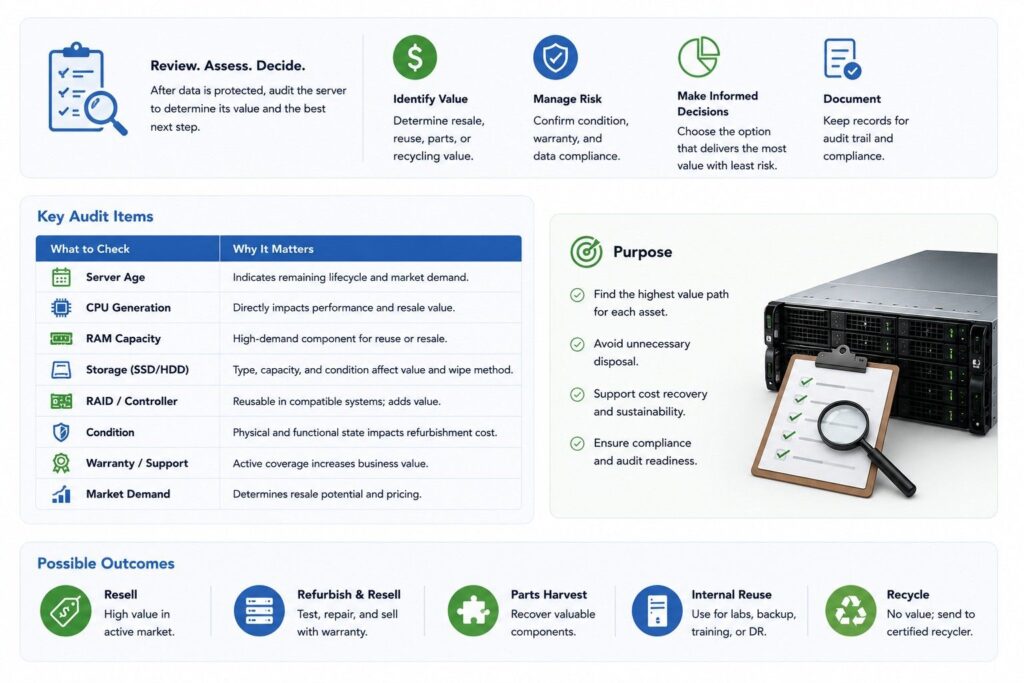
Once data is protected, the server should be audited. The goal is to decide whether it has resale value, internal value, parts value, or recycling value.
| Audit Item | Why It Matters |
| Server age | Shows whether the system fits current market demand |
| CPU generation | Affects performance and resale value |
| RAM capacity | Often valuable for reuse or resale |
| SSD/HDD type | Determines wipe, reuse, or destruction path |
| RAID controller | May be reused in older server builds |
| Condition | Impacts refurbishment cost |
| Warranty status | Helps determine business value |
| Market demand | Shows whether resale is practical |
Some companies recover value by reselling or buying back retired hardware. Others use old servers for labs, backup, training, or spare parts.
A structured asset recovery review helps prevent usable equipment from being treated as waste.
Where Do Old Server Parts Go?
Old servers are made of parts that may follow different paths. A full server may not be worth refurbishing, but its components may still have strong value.
| Server Part | Common Next Step |
| CPU | Resale, reuse, or parts harvesting |
| RAM | Reuse, resale, or upgrade kits |
| SSD | Wiped for reuse or destroyed |
| HDD | Wiped, resold, or physically destroyed |
| RAID card | Reused in compatible systems |
| Power supply | Tested and kept as spare inventory |
| Network card | Reused, resold, or upgraded |
| Fans | Harvested for maintenance parts |
| Chassis | Refurbished or recycled |
This part-level process supports the refurbished server market. It also helps companies reduce waste and recover value from systems that may not be useful as complete units.
For example, RAM, SSDs, RAID controllers, and network cards can help maintain older environments. This is common when companies need stable platforms but do not need the newest hardware generation.
Refurbishment vs Recycling vs Disposal
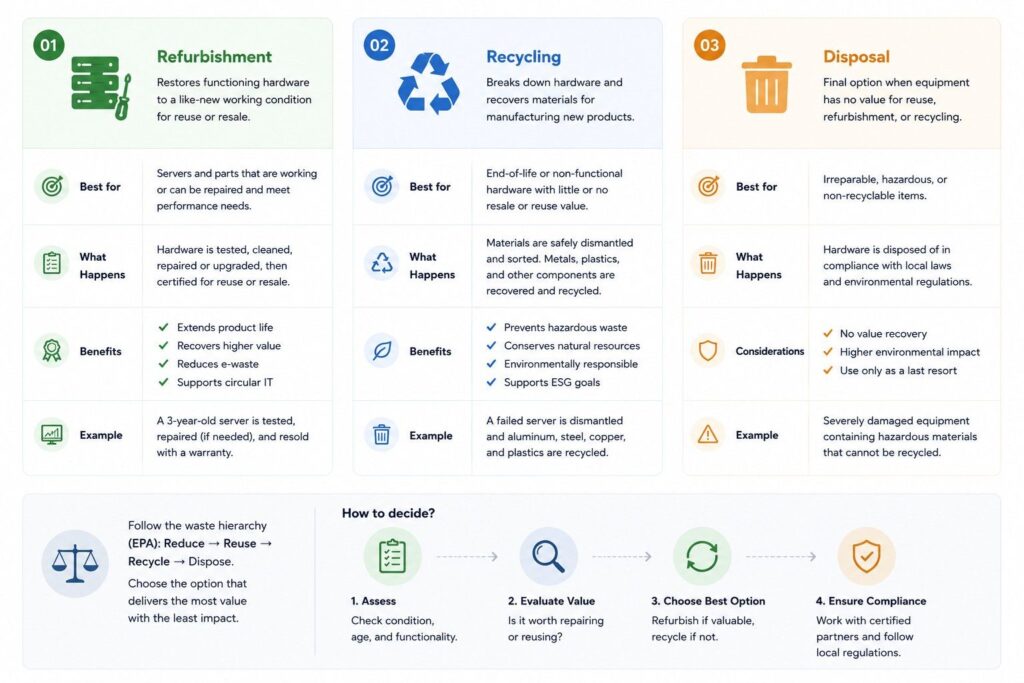
Not every old server should be handled the same way. The right option depends on data risk, asset value, condition, and business need.
| Option | Best For | Business Value |
| Refurbishment | Working servers with market demand | Highest recovery potential |
| Resale | Good-condition used servers | Helps offset upgrade costs |
| Internal reuse | Labs, backup, training, testing | Reduces new purchase needs |
| Donation | Schools or nonprofits | Extends hardware life |
| Parts harvesting | Damaged servers with usable parts | Recovers component value |
| Recycling | Broken or low-value equipment | Reduces e-waste |
| Disposal | Last resort only | Lowest value |
Refurbishment means old enterprise servers are tested, repaired, cleaned, upgraded, and resold as refurbished servers. These systems are often used for secondary workloads, backup environments, labs, development, and cost-sensitive scaling.
Recycling applies when servers have no resale value. Certified electronics recyclers recover materials and prevent improper disposal.
The Global E-waste Monitor reported that global e-waste reached 62 billion kg in 2022, but only 22.3% was formally collected and recycled. EPA also recognizes reuse, refurbishing, and recycling as ways to reduce electronics waste and recover materials.
This makes ITAD more than a disposal task. It is part of a wider e-waste reduction and infrastructure lifecycle strategy.
Compliance, Chain of Custody, and ITAD
ITAD gives companies a formal process for retiring servers securely and responsibly. It should cover data security, environmental handling, asset tracking, and final reporting.
A strong ITAD process includes:
- Asset inventory
- Chain of custody
- Data sanitization records
- Certificates of destruction
- Certificates of recycling
- Resale or buyback reporting
- Final disposition records
Chain of custody is especially important when servers leave the company site. It shows who handled the equipment, when it moved, and what happened to each asset.
Compliance risks increase when data-bearing devices are not tracked. A missing HDD or SSD can create legal, security, and financial exposure.
Companies should also compare resale and recycling before choosing a path. A clear ITAD profit review helps determine whether servers should be refurbished, sold, harvested, or recycled.
Need Help Managing Old Servers After an Upgrade?
Catalyst Data Solutions helps organizations manage old enterprise servers through decommissioning, ITAD, asset recovery, refurbishment, resale, and certified recycling. Instead of treating retired servers as waste, Catalyst helps identify which assets still hold value and which require secure data sanitization or responsible recycling.
Catalyst works with OEMs like Cisco, Arista, HPE, and NVIDIA while staying vendor-agnostic. This helps IT and procurement teams balance performance, budget, availability, and lifecycle goals across new, refurbished, and hard-to-find infrastructure.
Final Takeaway
Old enterprise servers should not be ignored after an upgrade. They should be decommissioned, documented, wiped, audited, and routed to the right next step.
Some servers gain a second life through internal reuse, resale, or refurbishment. Others provide value through parts harvesting. Systems with no resale value should go to certified recyclers.
A structured ITAD process helps companies reduce data risk, recover asset value, lower e-waste, and build a better infrastructure lifecycle strategy.
FAQs
Q: What happens to old enterprise servers after an upgrade?
Old enterprise servers are decommissioned, wiped, audited, and then reused, resold, refurbished, harvested for parts, donated, or recycled.
Q: Why is data wiping important before selling used servers?
Data wiping protects sensitive business data that may remain on HDDs, SSDs, logs, backups, or virtual machines after migration.
Q: What is NIST SP 800-88 used for?
NIST SP 800-88 is used as a media sanitization guideline for clearing, purging, or destroying data on storage devices.
Q: Can old servers still have resale value?
Yes. Servers with strong CPUs, high RAM, SSDs, RAID controllers, or network cards may still have resale or refurbishment value.
Q: When should old servers be recycled?
Old servers should be recycled when they are damaged, too outdated, missing key parts, or have no practical resale demand.
Q: How does ITAD support compliance?
ITAD supports compliance through chain of custody, data sanitization records, certificates of destruction, recycling proof, and asset tracking.