


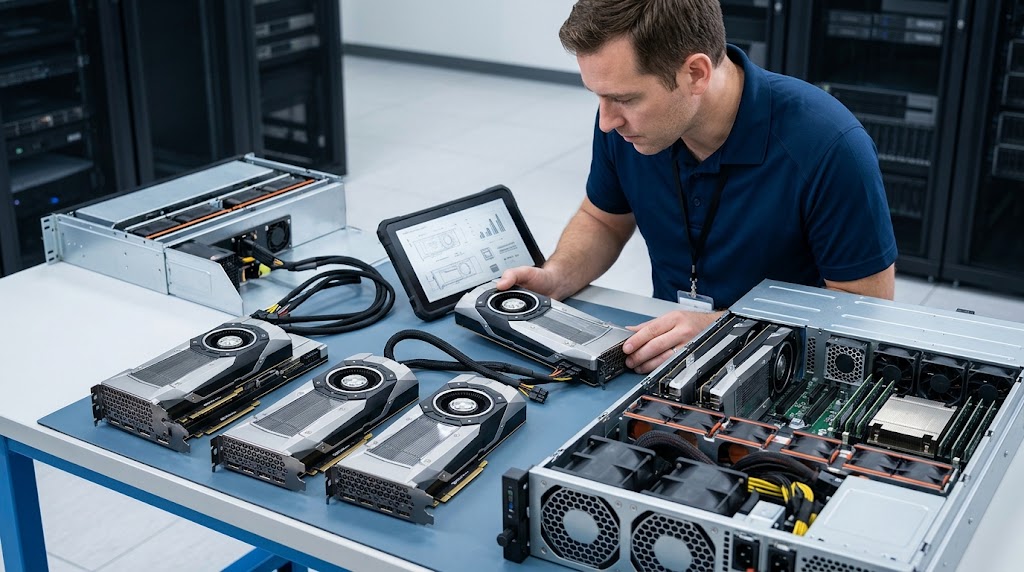
Before buying enterprise GPUs, assess the full environment that must support them. Start with the AI workload. Then check server compatibility, network capacity, storage performance, rack power, cooling, software, security, and operations.
The goal is to answer three questions: What can we keep? What must we upgrade? What could become a bottleneck after the GPUs arrive?
A data center does not need a full replacement just because you are adding AI. Existing servers, storage, network gear, racks, power systems, and other equipment may still have useful roles. The right plan keeps what meets the workload and risk requirements, upgrades constrained systems, and validates the design before a large GPU purchase.
At Catalyst Data Solutions, our approach to GPU deployment planning starts with this system-level review rather than a GPU model.
1. Define the AI Workload Before You Choose a GPU
The first decision is not which accelerator to buy. It is what the infrastructure must do.
Training, inference, fine-tuning, development, and HPC place different demands on a data center. A training cluster may need large GPU memory, fast links between nodes, and steady data delivery. An inference system may place more weight on response time, model size, availability, and efficient GPU use.
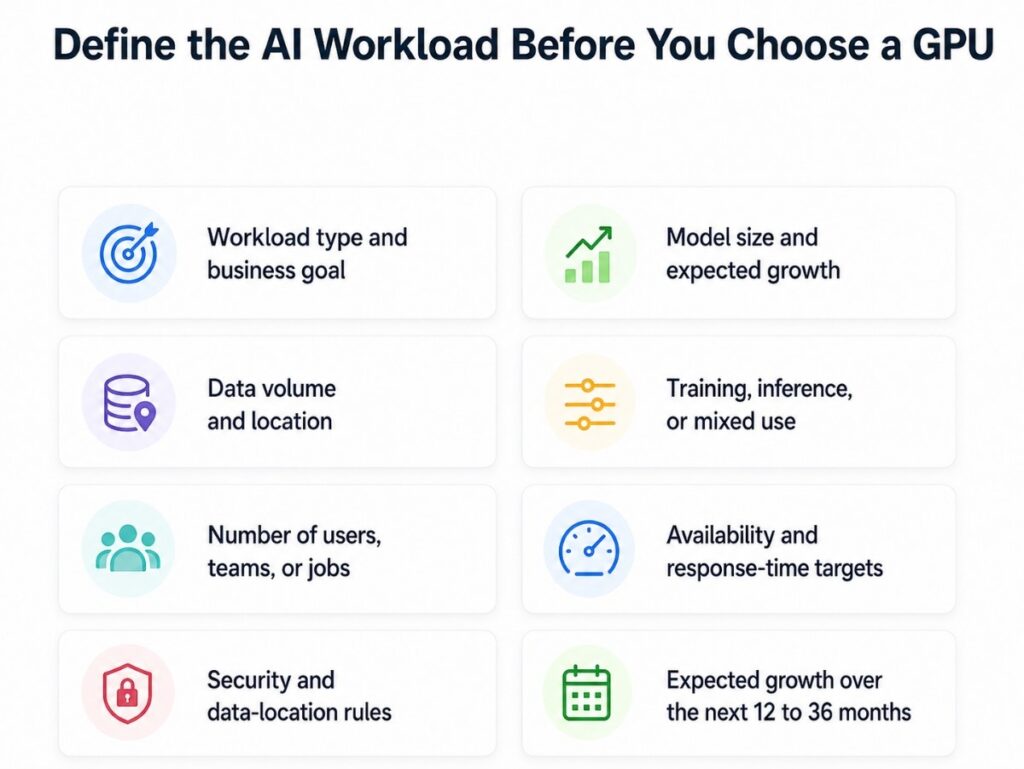
Before we compare hardware, we define:
- Workload type and business goal
- Model size and expected growth
- Data volume and location
- Training, inference, or mixed use
- Number of users, teams, or jobs
- Availability and response-time targets
- Security and data-location rules
- Expected growth over the next 12 to 36 months
These answers create the criteria for choosing NVIDIA ifrastructure or another accelerator path. They also reduce the risk of buying a system that is larger, denser, or more complex than the workload needs.
| Assessment area | Main question | What it changes |
| Workload | Training, inference, HPC, development, or mixed? | GPU class, memory, node design |
| Data | How much data moves, from where, and how fast? | Storage and network design |
| Scale | One server, several nodes, or a growing cluster? | Fabric, switching, operations |
| Facility | Can the rack support the power and heat load? | PDU, UPS, rack, cooling |
| Operations | Who will run, monitor, patch, and support it? | Software and support model |
2. Determine What Existing Infrastructure You Can Reuse
Older equipment is not automatically unsuitable for AI. The useful question is whether each system can still perform the role assigned to it.
A server, switch, storage array, rack, or UPS may remain valuable if it meets the required performance, support, security, and reliability levels. Equipment that cannot support the main AI workload may still work for backup, preprocessing, testing, lab use, or lower-priority tasks.
At Catalyst Data Solutions Inc, we use a reuse-first approach. We separate old from unfit.
That keeps the project focused on real constraints. It also creates a more practical path toward AI-Ready data center infrastructure instead of assuming an AI project requires a complete data center refresh.
| Reuse factor | Keep or repurpose when… | Upgrade when… |
| Performance | Capacity matches the assigned role | It slows the workload |
| Compatibility | Required software and interfaces remain supported | The target platform cannot be validated |
| Reliability | Condition and redundancy fit the workload | Failure risk is too high |
| Security | Required controls and patching remain practical | Security gaps cannot be managed |
| Energy | Power use remains practical | Density or operating cost becomes a problem |
| Lifecycle | Support life fits the project | The asset is near an unsupported state |
The objective is not to preserve every asset. It is to avoid replacing equipment that still has a useful and supportable role.
3. Confirm That the Server Platform Can Support the GPU
A server that can physically hold a GPU is not automatically ready for enterprise AI.
Check the entire node:
- Chassis and GPU support
- CPU capacity
- System memory
- PCIe layout and bandwidth
- Local storage
- Power supplies
- Firmware and drivers
- Operating system support
- Service and maintenance access
Dense GPU platforms may also change rack space, cable requirements, weight, and service clearance.
At Catalyst Data Solutions, we evaluate the GPU and host system together. We look at how CPU, memory, I/O, storage, networking, and power affect the accelerator.
This matters because an expensive GPU can spend part of its time waiting on another part of the server. In that case, adding more accelerator capacity does not solve the real problem.
4. Test the Network Before You Scale Beyond One GPU Node
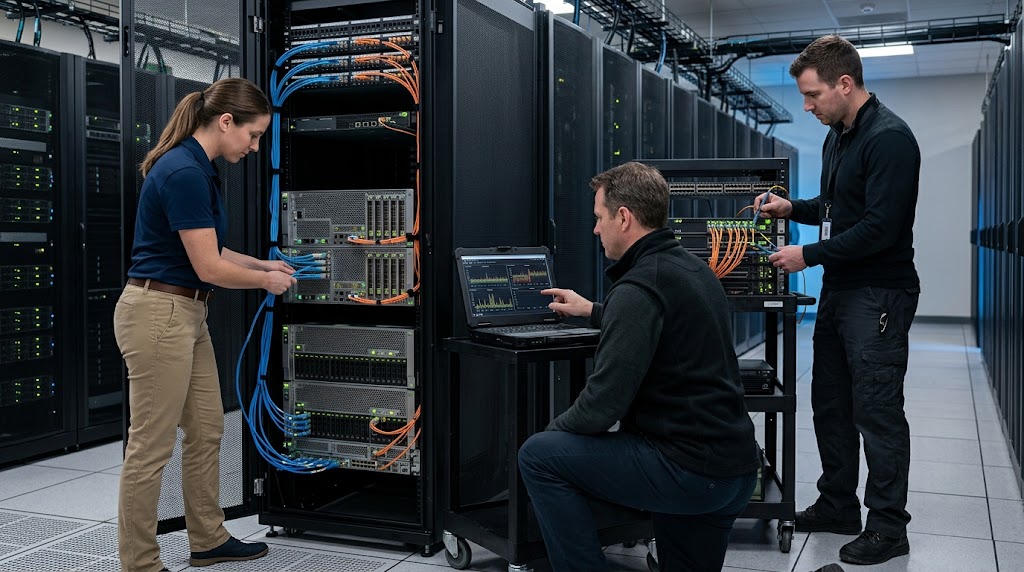
The network becomes much more important as AI moves from one server to several GPU nodes.
Do not judge readiness by port speed alone. Measure how the network behaves under the expected workload.
Review:
- Available bandwidth between nodes
- Congestion points
- Latency
- Switch capacity
- Cabling and optics
- Network layout
- Compute-to-storage paths
- Room for future expansion
For a small pilot, the existing Ethernet environment may be enough. A larger distributed workload may need higher bandwidth, a different layout, or another type of fabric.
Our AI Networking requirements guidance focuses on those limits because the network can become part of the compute problem. A powerful GPU cluster cannot perform well if data or node-to-node traffic keeps waiting on the fabric.
5. Measure Storage Performance, Not Just Capacity
Terabytes alone do not tell you whether storage is ready for AI.
GPUs need data to arrive fast enough to keep them working. That makes the full data path important.
Measure how the workload reads, prepares, caches, moves, checkpoints, and writes data.
Key questions include:
- What read and write speed does the workload need?
- What latency is acceptable?
- Where is the active dataset stored?
- Can local NVMe or caching help?
- Does the workload depend on shared file or object storage?
- How often does it write checkpoints?
- What backup and recovery process is required?
- Does data need to move between sites or clouds?
Existing storage does not always need to disappear. Its role may simply change.
An older array could remain useful for archive or backup while a faster tier serves the active workload. Our approach to Enterprise AI storage uses this role-based view instead of labeling every storage system as either AI-ready or obsolete.
6. Validate Power Before You Finalize GPU Density
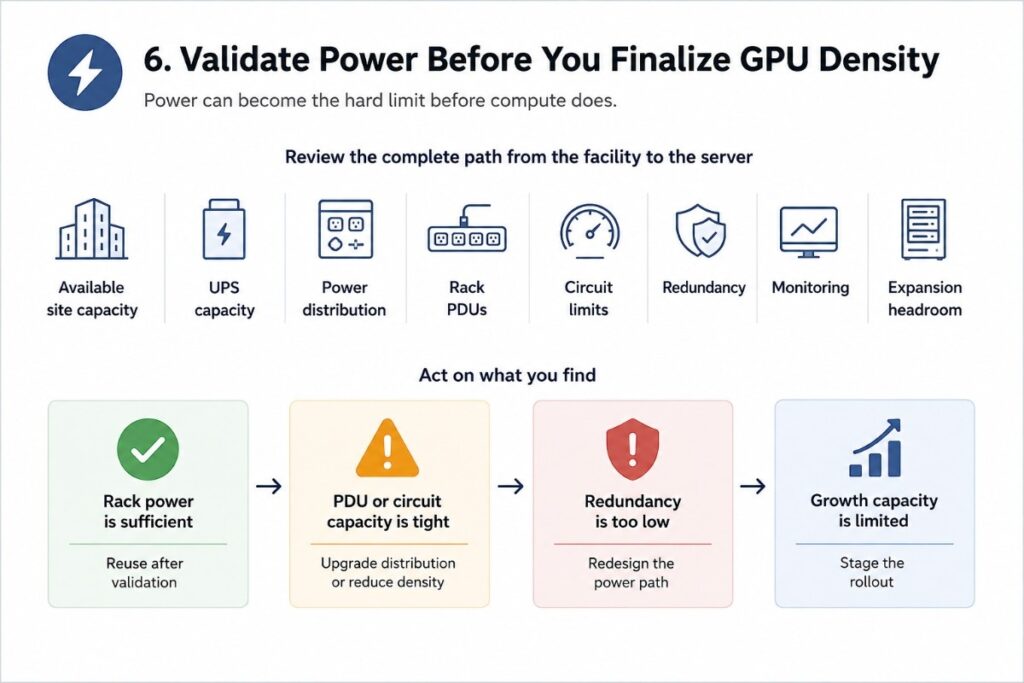
Power can become the hard limit before compute does.
Review the complete path from the facility to the server:
- Available site capacity
- UPS capacity
- Power distribution
- Rack PDUs
- Circuit limits
- Redundancy
- Monitoring
- Expansion headroom
Do not calculate power from the GPU alone. The rack also contains CPUs, memory, storage, switches, fans, and other equipment.
At Catalyst Data Solutions, we include facility limits when we evaluate a GPU design. Our data center power planning approach connects UPS, distribution, monitoring, and rack needs to the expected AI load.
| Finding | Likely action | Why it matters |
| Rack power is sufficient | Reuse after validation | Avoid unnecessary facility work |
| PDU or circuit capacity is tight | Upgrade distribution or reduce density | Prevent deployment delays |
| Redundancy is too low | Redesign the power path | Match facility risk to workload importance |
| Growth capacity is limited | Stage the rollout | Avoid another major change during expansion |
This review should happen before the hardware order. Discovering a power limit after GPU systems arrive can delay the project and force an unplanned redesign.
7. Check Cooling at the Rack, Not Only Across the Room
GPU density also changes the cooling problem.
A room may appear to have enough cooling while one high-density rack creates a local hot spot.
Assess:
- Rack heat load
- Airflow
- Inlet temperatures
- Exhaust heat
- Hot and cold aisle control
- Rack layout
- Service clearance
- Future density
Some GPU environments can continue using air cooling. Higher-density systems may require stronger airflow management, containment, rear-door heat exchangers, direct-to-chip liquid cooling, or a mixed design.
We use these conditions to shape the AI cooling strategy before the final hardware list is approved.
The sequence matters. Choosing the compute first and evaluating cooling later can create a design that the existing room cannot support.
8. Review Software, Security, and Day-to-Day Operations

Hardware is only one part of an AI platform.
The environment also needs a workable software and operating model.
Check:
- Drivers and firmware
- Operating systems
- Containers
- Orchestration
- Job scheduling
- Monitoring
- Identity and access
- Network segmentation
- Logging
- Backup
- Patching
- Change control
Then define ownership.
Who provisions GPU resources? Who monitors the platform? Who handles failed jobs? Who updates drivers? Who responds to hardware faults? Who owns security controls?
These questions matter because a technically strong system can still be difficult to operate.
Monitoring should also extend beyond GPU use. Track network traffic, storage throughput, memory pressure, temperature, and power. If performance falls, this data helps identify the actual bottleneck before the team assumes it needs more GPUs.
9. Decide Whether the Workload Belongs On-Premises, in Cloud, or in a Hybrid Model
Infrastructure readiness does not automatically mean every AI workload should run on-premises.
A steady workload with sensitive data and predictable demand may support an on-premises design. A short pilot or changing workload may make cloud or colocation useful. A hybrid model can also keep some data and systems on existing infrastructure while using outside capacity for other workloads.
At Catalyst Data Solutions, we evaluate hybrid AI deployment models against workload, data, cost, control, latency, security, and operational needs.
We do not force a cloud-first or on-prem-first answer.Cost also needs a wider view than the first hardware quote.
When we compare AI deployment cost models, we consider facility work, support, software, energy, operations, growth, and expected platform life.
The right location is the one that best fits the workload and operating constraints.
10. Upgrade the Bottleneck, Not the Whole Data Center
After the assessment, rank upgrades by what could stop the workload from reaching its target.
If networking is the problem, replacing working backup storage will not solve it. If rack power is already at its limit, buying more GPUs does not create usable capacity.
The same rule works in reverse. If an existing system still meets its assigned role, replacing it may increase project cost without removing meaningful risk.
| Constraint found | First upgrade to consider | What may stay |
| GPU memory or compute | Accelerator or server platform | Network and storage if proven sufficient |
| Network | Fabric, switches, optics, topology | Storage if throughput meets the need |
| Storage | Active data tier, cache, storage fabric | Archive and backup systems |
| Rack power | PDU, UPS path, density plan | Lower-density equipment |
| Cooling | Airflow, containment, targeted liquid cooling | Existing cooling for standard racks |
| Operations | Monitoring, scheduling, platform tools | Hardware that already meets the workload |
At Catalyst Data Solutions, our rule is simple: modernize the constrained layers and keep the parts that still meet the workload, support, security, and lifecycle requirements.
That gives the buyer a reason for every major change.
11. Validate the Architecture With a Phased GPU Plan
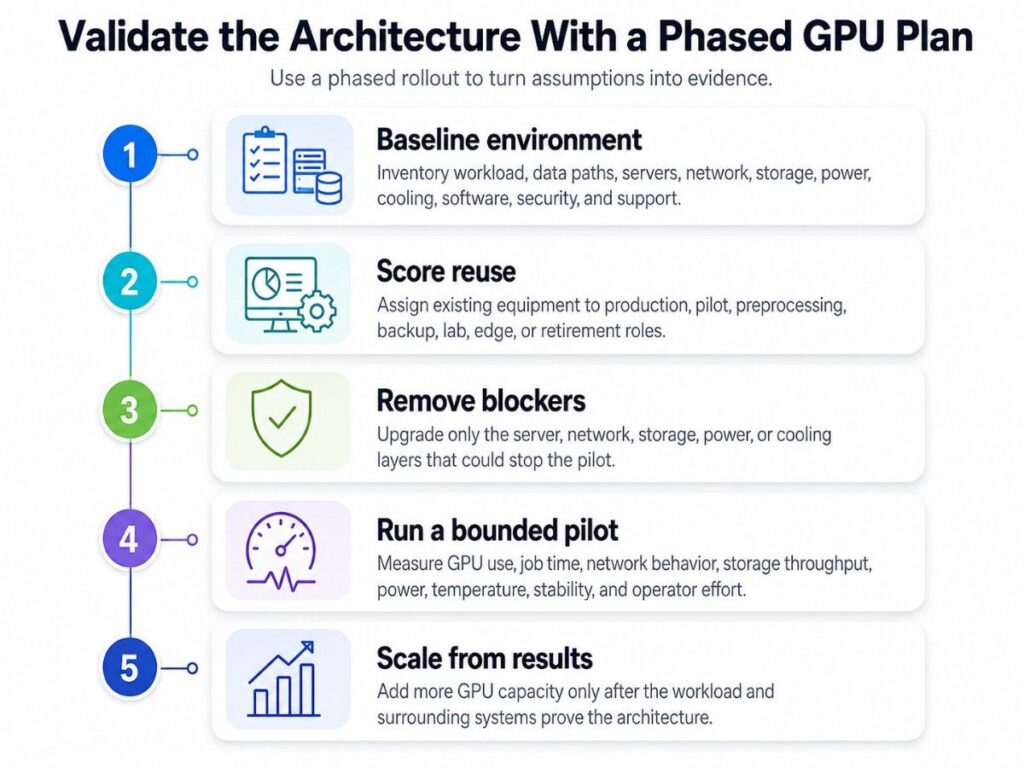
A phased deployment turns assumptions into evidence.
Phase 1: Baseline the environment.
Inventory the workload, data paths, servers, network, storage, power, cooling, software, security, and support status.
Phase 2: Score reuse.
Assign existing equipment to production, pilot, preprocessing, backup, lab, edge, or retirement roles.
Phase 3: Remove blocking constraints.
Upgrade only the server, network, storage, power, or cooling layers that could prevent the pilot from working.
Phase 4: Run a bounded pilot.
Measure GPU use, job time, network behavior, storage throughput, power, temperature, stability, and operator effort.
Phase 5: Scale from measured results.
Add more GPU capacity after the workload and surrounding systems prove the architecture.
This is more useful than deciding that every old component needs replacement before the first AI workload runs.
How We Support Enterprise GPU Planning
At Catalyst Data Solutions, we work across enterprise compute, GPUs, networking, storage, data center infrastructure, and lifecycle planning.We connect those areas because a GPU purchase only creates value when the surrounding systems can support the workload.
Our enterprise GPU procurement process starts with the approved architecture and known infrastructure limits. From there, we can compare viable hardware paths and source components that fit the design.
That may include compute nodes, network equipment, enterprise storage, racks, power distribution, and related data center hardware.
We also include lifecycle questions in the decision. Support status, useful life, expansion, reuse, redeployment, and the eventual exit path can all affect the value of the initial purchase.
The Question to Answer Before You Buy Enterprise GPUs
Before approving an enterprise GPU purchase, your team should be able to answer one question clearly:
Can our current data center feed, connect, power, cool, secure, and operate the GPU environment at the level our workload requires?
If the answer is partly yes, keep the systems that pass the workload and risk tests.Upgrade the systems that do not.
Then prove the full design with a pilot before scaling.
This approach turns GPU procurement into a controlled infrastructure decision instead of a high-cost hardware bet.
When we discuss your GPU requirements, we start with the workload, the infrastructure you already own, and the constraints that must be solved before the final hardware list is approved.