



Enterprise IT teams are under pressure to do more with less. Hardware prices are rising, refresh cycles are moving faster, and many organizations still face long lead times for servers, switches, storage, and GPUs.
That is why many buyers ask a practical question: why buy refurbished equipment instead of only purchasing new hardware?
The answer is not simply “because it is cheaper.” Refurbished IT equipment can reduce upfront costs, improve availability, extend infrastructure life, and support a more flexible procurement strategy. The key is knowing what to buy, what to check, and where refurbished hardware fits within your environment.
The Cost Problem Facing IT Buyers

IT budgets are expanding, but so are infrastructure demands. Gartner projected worldwide IT spending to reach $5.43 trillion in 2025, up 7.9% year over year. At the same time, server demand has surged. IDC reported that the worldwide server market reached a record $444.1 billion in 2025, growing 80.4% from 2024.
For enterprise buyers, this creates a difficult mix:
- Higher infrastructure costs
- Longer procurement timelines
- More pressure to support AI, cloud, and data growth
- Budget limits that do not always match project needs
Refurbished hardware helps close that gap. It gives IT teams more options when new equipment is delayed, overpriced, or unnecessary for the workload.
Cost Savings Breakdown

Refurbished IT hardware often costs 30–70% less than new equipment, depending on the product type, generation, configuration, and market demand.
That savings can be useful when organizations need to expand capacity, replace failed equipment, support secondary workloads, or maintain older platforms.
| Cost Area | New Equipment | Refurbished Equipment | Potential Benefit |
| Upfront purchase price | Highest cost | Often 30–70% lower | Lower capital expense |
| Lead time | Often 6–16 weeks | Often faster if in stock | Faster deployment |
| Maintenance flexibility | OEM-dependent | Third-party options available | More support choices |
| Spare parts | May be limited by OEM lifecycle | Often available through secondary markets | Longer hardware life |
| Refresh planning | Full replacement pressure | Extend or phase upgrades | Better budget control |
Refurbished equipment is not always the right choice for every workload. But it can be a strong fit when the goal is cost control without overbuying the latest generation.
Many teams combine new and refurbished equipment as part of a wider hardware sourcing strategy to balance cost, performance, and availability.
Cost vs. Performance Analysis

The best refurbished decisions start with workload needs.
Not every system requires the newest CPU, switch model, or storage platform. Many enterprise workloads run well on previous-generation hardware, especially when the equipment is properly tested and configured.
| Use Case | Refurbished Fit | Why It Works |
| Backup infrastructure | Strong fit | Lower cost, less need for latest specs |
| Lab and test environments | Strong fit | Good performance without production-level spend |
| Network expansion | Strong fit | Switches often remain useful for years |
| Short-term capacity | Strong fit | Faster sourcing and lower cost |
| Mission-critical workloads | Case-by-case | Depends on redundancy, warranty, and support |
| New high-performance workloads | Mixed fit | May require latest hardware |
A practical cost vs. performance review should ask:
- Does the workload need the newest generation?
- Is the current bottleneck compute, storage, or network?
- Can refurbished equipment meet performance targets?
- Would new hardware create unused capacity?
- Is faster availability more important than latest specs?
This is where refurbished equipment becomes more than a low-cost option. It becomes a way to optimize infrastructure spending.
How to Buy Refurbished Servers
Buying refurbished servers should start with the workload, not the lowest price. A well-planned purchase helps reduce cost while avoiding compatibility and reliability issues, especially when the equipment comes through a verified refurbished testing process.
- Define the workload first
Identify how the server will be used. Virtualization, backup, testing, storage, and branch office workloads all require different configurations. This helps avoid paying for specs the business does not need. - Confirm performance requirements
Review CPU cores, RAM, storage capacity, drive type, RAID needs, and network speed. For example, virtualization may need more memory, while backup workloads may need more drive bays and storage flexibility. - Check compatibility
Make sure the server fits your current environment. Confirm processor generation, memory type, drive format, RAID controller, NIC speed, firmware level, operating system support, and management tools. - Review testing standards
Refurbished servers should be inspected, validated, and tested before shipment. Ask about burn-in testing, component checks, firmware review, and drive health reports. - Confirm warranty and support
Check warranty length, return options, replacement terms, and available maintenance coverage. Support is important if the server will be used in production or business-critical environments. - Evaluate total value, not just price
A lower purchase price is useful only if the server is reliable, compatible, and supportable. The best refurbished server choice balances cost savings, performance needs, deployment timeline, and lifecycle fit.
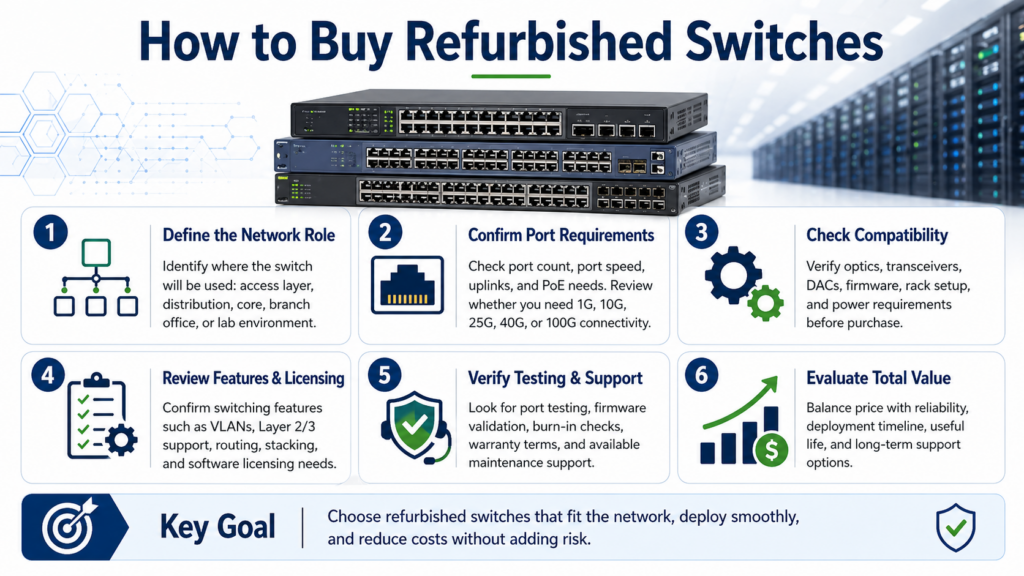
How to Buy Refurbished Switches
Refurbished switches are often a strong cost-saving option because many networks do not need the newest switching platform in every layer.
Before buying, confirm where the switch will be used:
- Core network
- Distribution layer
- Access layer
- Lab environment
- Branch office
- Storage or data center network
Then review the technical requirements:
| Switch Requirement | What to Check | Why It Matters |
| Port speed | 1G, 10G, 25G, 40G, 100G | Prevents bandwidth mismatch |
| Port count | Current and future needs | Avoids early replacement |
| Optics support | Transceivers and DACs | Reduces compatibility issues |
| Licensing | Required software features | Prevents deployment delays |
| Power | PoE, PoE+, power supplies | Supports phones, cameras, APs |
| Firmware | Stable supported version | Improves reliability |
Refurbished switches are commonly used for access-layer expansion, office upgrades, lab networks, and cost-sensitive data center projects. They also help when new switches are backordered or when an existing environment needs matching hardware.
For teams focused on reducing network costs, refurbished switching can work well alongside broader network cost strategies.
What to Check Before Buying Refurbished IT
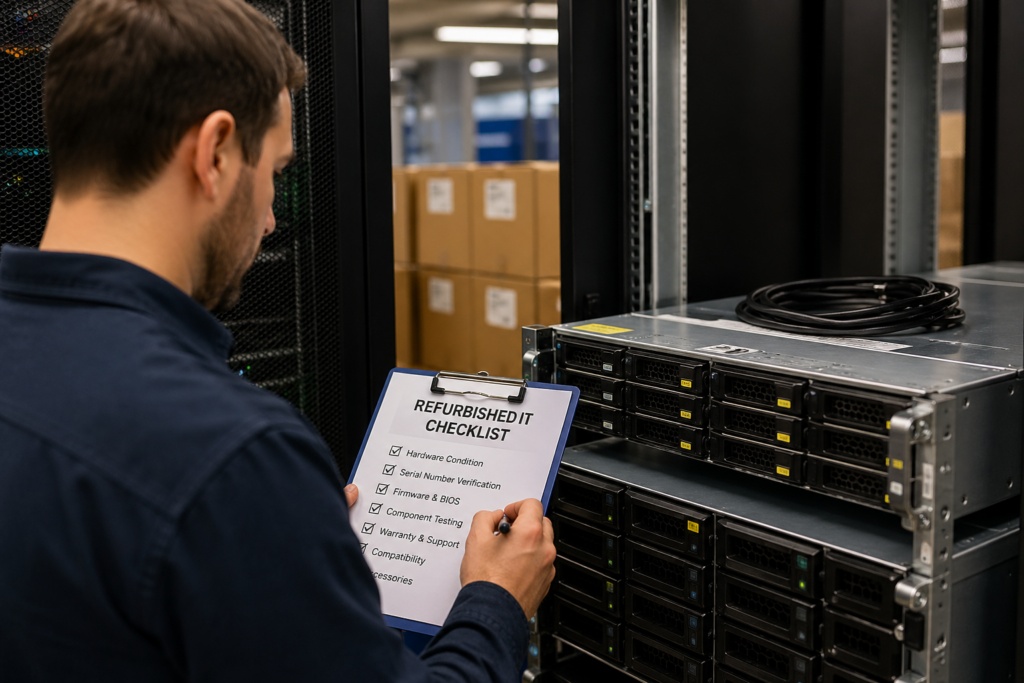
A lower price is only useful if the equipment is reliable, compatible, and properly supported.
Before buying refurbished IT, check:
- Source: Is the seller experienced with enterprise hardware?
- Testing: Has the hardware been inspected and validated?
- Warranty: What coverage is included?
- Compatibility: Will it work with your current environment?
- Firmware: Is the version stable and appropriate?
- Licensing: Are any required licenses separate?
- Support: Is maintenance available after purchase?
- Lead time: Is the hardware actually in stock?
- Return policy: What happens if the equipment does not fit?
This step is especially important for servers, switches, storage, and GPUs. A small compatibility issue can delay a deployment or increase support costs.
Refurbished buying works best when procurement, engineering, and operations teams align before purchase.
Understanding the ROI of Refurbished Hardware

The ROI of refurbished hardware is measured by more than the purchase discount. A lower upfront cost matters, but the larger value often comes from faster deployment, extended lifecycle use, and reduced pressure on capital budgets.
For many organizations, refurbished equipment helps avoid overbuying. If a workload does not require the newest generation of servers or switches, buying new can create unused capacity. Refurbished hardware allows IT teams to match spend to actual performance needs.
ROI also improves when refurbished equipment helps delay a full refresh. For example, a company may use refurbished servers to extend an existing platform for another 18–24 months while planning a larger modernization project. That gives the business more time to budget, test, and migrate without rushing into a costly replacement cycle.
| ROI Factor | How Refurbished Hardware Helps | Business Impact |
| Lower acquisition cost | Reduces upfront hardware spend | Frees budget for other IT priorities |
| Faster availability | Shortens wait times when new hardware is delayed | Helps projects stay on schedule |
| Lifecycle extension | Keeps compatible platforms running longer | Delays large refresh costs |
| Right-sized performance | Matches hardware to workload needs | Avoids paying for unused capacity |
| Maintenance flexibility | Supports third-party or alternative coverage | Improves long-term cost control |
The strongest ROI usually comes from using refurbished equipment selectively. It works best when tied to a clear workload, a defined support plan, and a lifecycle strategy that includes both new and refurbished options.
Performance and Reliability: Common Objections
The most common concern about refurbished IT hardware is reliability. That concern is fair. Enterprise buyers need hardware that performs consistently, especially in data center and production environments.
Large-scale infrastructure data shows why this matters. Uptime Institute reported that 55% of data center operators had an outage in the previous three years, but only one in 10 outages in 2023 was categorized as serious or severe. This shows that reliability is a broader operational issue, not just a hardware age issue. Proper planning, redundancy, monitoring, and support all play a role.
Refurbished hardware can perform well when the equipment is matched to the workload. A backup server, access-layer switch, lab system, or expansion node may not require the newest generation. In those cases, previous-generation hardware can still deliver strong value without creating unnecessary spend.
| Buyer Concern | Practical Answer |
| “Will refurbished hardware fail sooner?” | Not necessarily. Reliability depends on testing, component condition, cooling, support, and deployment design. |
| “Will it support enterprise workloads?” | Yes, when the hardware is sized correctly and validated against the workload. |
| “What if a part fails?” | A warranty, spare-part plan, or maintenance agreement should be confirmed before purchase. |
| “Will it work with our current environment?” | Compatibility should be checked before buying, including firmware, licensing, optics, and management tools. |
The best way to reduce reliability concerns is to avoid treating refurbished hardware as a commodity purchase. It should be evaluated with the same discipline as new infrastructure: workload fit, configuration accuracy, support coverage, and lifecycle planning.
Risks and How to Avoid Them
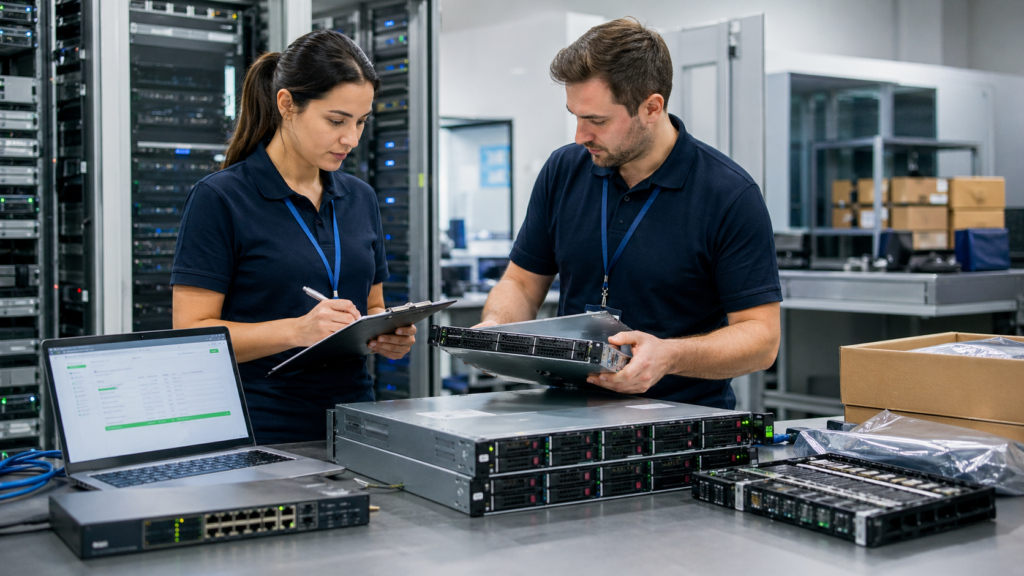
Refurbished IT can reduce costs, but poor buying decisions can create hidden expenses. The biggest risks usually come from unclear sourcing, incomplete testing, missing warranty coverage, or hardware that does not match the environment.
A low price should never be the only reason to buy. If the equipment arrives with the wrong firmware, unsupported licensing, failed ports, weak drives, or no return path, the savings can disappear quickly. This is especially true for servers, switches, storage systems, and GPU-based infrastructure.
A practical risk review should happen before purchase, not after delivery.
| Risk | Why It Matters | How to Avoid It |
| Unknown source | Hardware history may be unclear | Work with experienced enterprise suppliers |
| Incomplete testing | Defects may appear after deployment | Ask for validation and inspection details |
| Wrong configuration | Deployment may be delayed | Confirm specs before purchase |
| Firmware or licensing gaps | Features may not work as expected | Review software and compatibility needs early |
| No support plan | Failures become harder to manage | Confirm warranty or maintenance coverage |
| Poor lifecycle fit | Hardware may age out too soon | Match purchase to refresh plans |
The safest approach is to treat refurbished hardware as part of a planned infrastructure strategy. That means confirming technical requirements, support terms, and expected useful life before committing.
When managed correctly, refurbished equipment can reduce cost without adding unnecessary risk. The goal is not to buy the cheapest hardware available. The goal is to source reliable equipment that fits the workload, timeline, and budget.
Need Help Reducing Hardware Costs Without Slowing Projects?
Catalyst Data Solutions works closely with leading OEMs like Cisco, Arista, HPE, and NVIDIA to help organizations source the right infrastructure for their needs. As a vendor-agnostic infrastructure lifecycle partner, Catalyst helps buyers evaluate new, refurbished, and hard-to-find equipment based on workload requirements, budget, and timeline.
This flexibility matters when procurement teams face long lead times, limited inventory, or pressure to reduce costs without sacrificing reliability. By working across OEM relationships, distribution channels, and secondary markets, Catalyst helps organizations make practical sourcing decisions and move from hardware selection to deployment with less friction.
FAQs
1. Why should companies buy refurbished equipment to reduce IT costs?
Companies buy refurbished equipment because it can reduce upfront hardware costs by 30–70% while still supporting many enterprise workloads. It is often used when budgets are tight, new hardware is delayed, or the workload does not require the latest generation.
2. Is refurbished IT hardware reliable for enterprise use?
Yes, refurbished IT hardware can be reliable when it is properly tested, configured, and sourced from an experienced provider. Servers, switches, storage, and GPUs are commonly used in enterprise environments for expansion, backup, testing, and cost-sensitive deployments.
3. When should companies choose refurbished hardware over new?
Companies should consider refurbished hardware when cost optimization, faster availability, or short-term scaling is a priority. It is often useful when new equipment has 6–16 week lead times or when existing infrastructure needs compatible hardware for expansion.
4. What should buyers check before purchasing refurbished IT equipment?
Buyers should check testing standards, warranty terms, configuration details, firmware, licensing, compatibility, and support options. These checks help reduce deployment risk and ensure the equipment fits the current environment.
5. How does Catalyst Data Solutions help companies reduce IT costs with refurbished equipment?
Catalyst Data Solutions helps organizations reduce IT costs by evaluating where refurbished hardware makes sense within the broader infrastructure strategy. As a vendor-agnostic partner, Catalyst works across new, refurbished, and hard-to-find equipment to match hardware choices with workload needs, budget, and timeline.
This is especially useful when companies need to lower capital spend, avoid long OEM lead times, or extend the life of existing environments without compromising reliability.