


New vs refurbished IT hardware is a practical decision for schools, libraries, and SLED agencies that need reliable infrastructure without wasting budget. The right choice depends on risk, lifecycle, funding rules, warranty needs, availability, and how the equipment will be used.
For many public-sector teams, the question is not only “Which option costs less?” It is “Which option helps the project work without adding support problems later?” That matters during network refreshes, Wi-Fi upgrades, firewall replacements, server refreshes, and phased infrastructure projects.
New hardware often works best for long-term standards, major deployments, and warranty alignment. Refurbished hardware can help with spares, replacements, labs, expansion, and budget-sensitive needs. A strong sourcing plan may use both, depending on the environment.
What Is the Difference Between New and Refurbished IT Hardware?
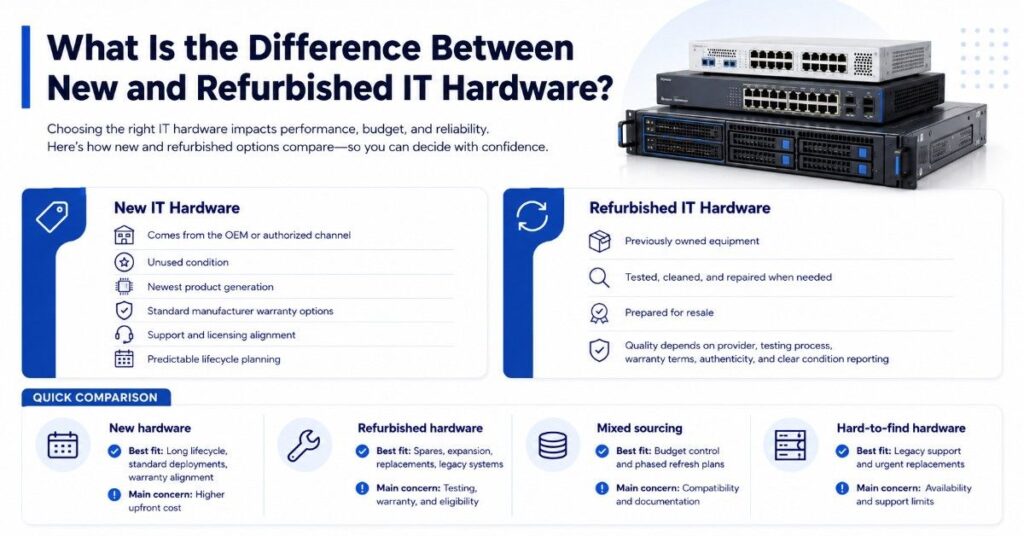
New IT hardware comes from the OEM or authorized channel in unused condition. It usually includes the newest product generation, standard manufacturer warranty options, support paths, licensing alignment, and predictable lifecycle planning.
Refurbished IT hardware has been previously owned, tested, cleaned, repaired when needed, and prepared for resale. Quality depends on the provider, testing process, warranty terms, part authenticity, and how clearly the equipment is represented.
| Buying Option | Best Fit | Common Buyer Concern |
| New hardware | Long lifecycle, standard deployments, warranty alignment | Higher upfront cost |
| Refurbished hardware | Spares, expansion, replacements, legacy systems | Testing, warranty, and eligibility |
| Mixed sourcing | Budget control and phased refresh plans | Compatibility and documentation |
| Hard-to-find hardware | Legacy support and urgent replacements | Availability and support limits |
K-12 and SLED buyers often compare both options during hardware sourcing plans. A district may buy new Cisco Catalyst switches for a core refresh while using refurbished units for spares or temporary expansion.
When Does New IT Hardware Make More Sense?
New hardware makes more sense when the project needs a clean standard across many sites, classrooms, branches, or departments. This is common for district-wide Wi-Fi upgrades, firewall refreshes, data center modernization, and infrastructure tied to long-term support expectations.
New equipment is also preferred when the project depends on current features, active OEM support, security updates, and a clear warranty path. For example, a new Fortinet firewall may be the better fit when security subscriptions, support terms, and throughput needs must match a formal roadmap.
Standardization and Lifecycle Planning
Standardization matters when IT teams support many buildings with limited staff. Using the same switch model, access point family, firewall platform, or server generation can make training, troubleshooting, spare planning, and support easier.
New Cisco Catalyst, HPE Aruba, Juniper switching, or Arista equipment may help a team keep one standard across campuses or library branches. This can reduce configuration drift and simplify future procurement, especially when the same bill of materials repeats across sites.
Warranty, Support, and Feature Needs
New hardware is often preferred when the buyer needs full warranty alignment, current firmware, active support, and the latest features. This matters for compliance-driven deployments, high-availability networks, core switching, firewall security, and production server environments.
New HPE servers, Dell servers, and NVIDIA GPU systems may also be a better fit when performance, vendor support, or long-term expansion matters. In these cases, lower upfront cost should not outweigh reliability, support, and lifecycle risk.
When Does Refurbished IT Hardware Make More Sense?
Refurbished hardware makes sense when the goal is cost control, fast availability, or extending the life of a working environment. It can support real needs without forcing a full replacement before the organization is ready.
Refurbished equipment can also help when a school, library, or agency already runs a stable platform but needs compatible parts. This may include Cisco switches, HPE Aruba networking, Fortinet firewalls, Arista data center switches, Juniper switching, optics, power supplies, modules, or drives.
Budget Control, Spares, and Hard-to-Find Systems
Refurbished hardware works well for spares, replacements, and hard-to-find legacy systems. A district may not want to redesign a stable network just because one switch, power supply, transceiver, or module failed.
It can also help labs, training rooms, non-critical environments, or temporary expansions. According to the Global Electronics Council’s 2026 EPEAT RENEW draft, refurbished laptops hold over 74% of the refurbished computers market, which shows why public-sector buyers often evaluate refurbished laptop fleets as a cost-saving option.
Where Can Refurbished Hardware Support School and SLED Projects?
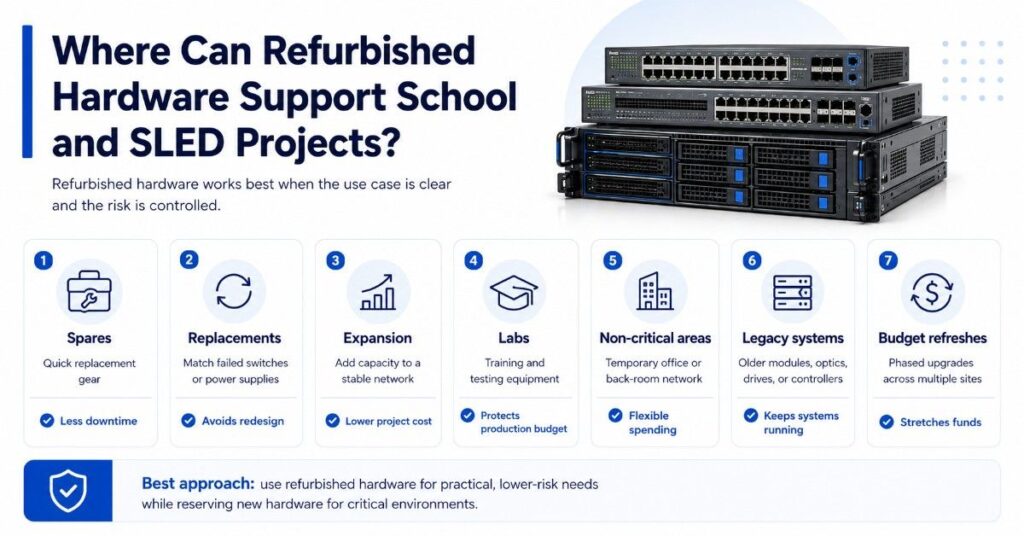
Refurbished hardware is strongest when the use case is clear and the risk is controlled. It should not be treated as a shortcut for every project, but it can support many practical infrastructure needs.
| Refurbished Use Case | Practical Example | Buyer Benefit |
| Spares | Extra Cisco Catalyst switch for quick replacement | Less downtime |
| Replacements | Matching failed access switch or power supply | Avoids redesign |
| Expansion | Add ports to a stable network | Lower project cost |
| Labs | Training or testing gear | Protects production budget |
| Non-critical areas | Temporary office or back-room network | Flexible spending |
| Legacy systems | Older modules, optics, drives, or controllers | Keeps systems running |
| Budget refreshes | Phased replacement across multiple sites | Stretches funds |
A library system may use refurbished switches for low-risk branch upgrades while buying new wireless access points for public-facing coverage. A district may use refurbished servers for testing while reserving new Dell or HPE servers for production workloads.
This mixed approach can also support school funding gaps. When E-Rate, local funds, grants, and operating budgets cover different needs, buyers may need more than one sourcing path.
Where Is New Hardware Often Preferred?
New hardware is often preferred for standardization, warranty alignment, long-term lifecycle planning, latest features, and compliance-driven deployments. It is also the safer choice when downtime would disrupt instruction, public services, security operations, or agency systems.
For example, new HPE Aruba access points may make sense during a building-wide wireless refresh. New Fortinet firewalls may be preferred when support, licensing, security services, and warranty terms need to align from day one.
| New Hardware Priority | Why It Matters | Common Product Fit |
| Standardization | Easier support across sites | Switches, APs, firewalls |
| Warranty alignment | Cleaner support path | Servers, firewalls, storage |
| Long lifecycle | Better planning window | Core switches, data center gear |
| Latest features | Better performance and security | Wi-Fi, firewalls, GPUs |
| Compliance-driven use | Lower support and audit risk | Security, storage, production systems |
New hardware should also be considered for critical switching, core routing, firewall edge security, production storage, and high-performance compute. In these areas, lifecycle and support may matter more than the lowest purchase price.
What Risks Should Buyers Check Before Choosing Refurbished Hardware?
Refurbished hardware can be useful, but buyers should verify the rules before they depend on it. This is especially important when a project uses public funds, grants, E-Rate-related planning, state contracts, or cooperative purchasing.
Schools and libraries should verify funding eligibility for the exact product and request. They should also confirm local procurement rules, warranty terms, testing standards, support availability, and whether refurbished equipment fits the intended use.
Key checks include:
- Confirm whether the funding source allows refurbished hardware
- Review local procurement and purchasing requirements
- Ask how the equipment was tested
- Confirm warranty length and coverage
- Verify serial numbers and part authenticity
- Check firmware, licensing, and support limits
- Confirm compatibility with the current network
- Document condition, included parts, and return terms
E-Rate planning deserves special care. Buyers should use official FCC and USAC guidance when rules, eligibility, or filing steps are involved, and they can use eligible network scope planning to separate funded infrastructure from broader budget needs.
How Should Buyers Compare New vs Refurbished IT Hardware?
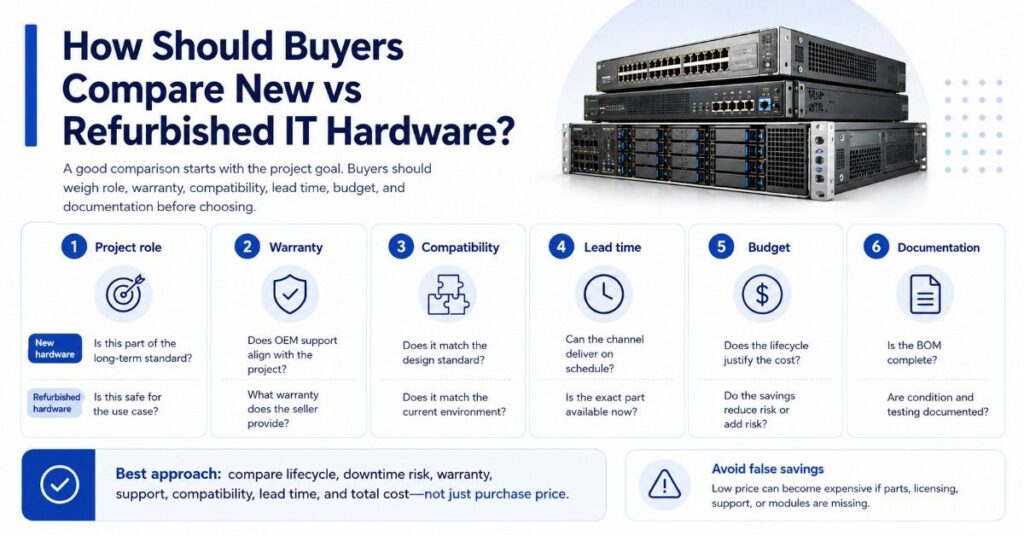
A good comparison starts with the project goal. The buyer should define whether the equipment supports a core service, classroom access, public Wi-Fi, security, backup, testing, expansion, or spare inventory.
Price matters, but it should not be the only factor. Schools, libraries, and SLED buyers should compare lifecycle, downtime risk, warranty, support, compatibility, lead time, and total cost before choosing new or refurbished equipment.
| Evaluation Point | New Hardware Question | Refurbished Hardware Question |
| Project role | Is this part of the long-term standard? | Is this safe for the use case? |
| Warranty | Does OEM support align with the project? | What warranty does the seller provide? |
| Compatibility | Does it match the design standard? | Does it match the current environment? |
| Lead time | Can the channel deliver on schedule? | Is the exact part available now? |
| Budget | Does the lifecycle justify the cost? | Does the savings reduce risk or add risk? |
| Documentation | Is the BOM complete? | Are condition and testing documented? |
This process helps buyers avoid false savings. A cheap switch can become expensive if it lacks power supplies, optics, licenses, support, or the right module for the environment.
How Do OEMs and Product Categories Fit Into the Decision?
OEM selection affects support, compatibility, lifecycle, licensing, and availability. Schools and SLED buyers often already have standards around Cisco Catalyst switching, HPE Aruba wireless, Fortinet firewalls, Juniper Mist, Juniper switching, Arista data center switches, Dell servers, or HPE servers.
The right option depends on the role of the hardware. A campus access switch has different risk than a core switch. A lab server has different risk than a production storage node. An NVIDIA GPU for AI or high-performance workloads may need careful support and power planning.
Common categories to compare include:
- Cisco Catalyst switches for access, core, and campus networking
- HPE Aruba networking for wireless and switching refreshes
- Fortinet firewalls for edge security and subscriptions
- Juniper Mist and Juniper switching for campus and cloud-managed networks
- Arista switches for data center and high-performance environments
- HPE servers and Dell servers for compute and storage projects
- NVIDIA GPUs where AI, analytics, or HPC workloads apply
- Optics, power supplies, modules, drives, cables, and transceivers
A buyer planning campus wireless upgrades may choose new access points but use refurbished switches in a non-critical area. Another team may choose new firewalls but buy refurbished optics or power supplies for spares.
How Can Buyback and Trade-In Offset Refresh Costs?
Buyback and trade-in programs can help schools, libraries, and agencies recover value from decommissioned equipment. This can reduce the net cost of new hardware, refurbished replacements, phased refreshes, or future infrastructure purchases.
Many teams store retired switches, servers, firewalls, modules, drives, and optics for years. Some of that equipment may still have resale or trade-in value, especially if it is tested, documented, and handled through a clear disposition process.
Buyback can support:
- Network refresh budget planning
- Spare pool cleanup
- Server and storage replacement
- Data center consolidation
- Wi-Fi upgrade funding
- Phased campus modernization
- Responsible hardware lifecycle planning
A strong buyback plan should also consider data handling, asset tracking, chain of custody, and internal approval steps. For security-sensitive environments, teams should align asset disposition with their security control process.
How Should Teams Build a Practical Hardware Sourcing Plan?
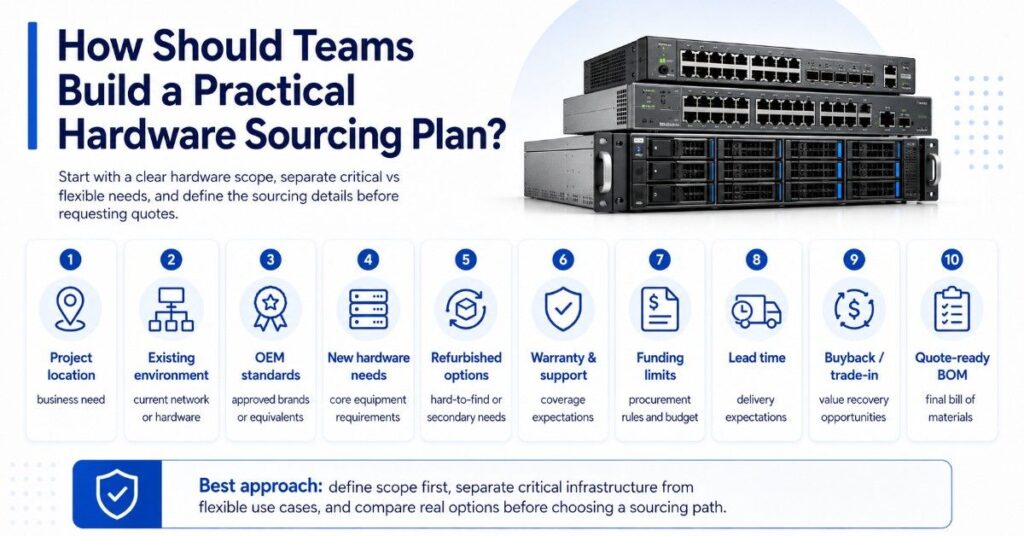
A practical sourcing plan starts with a clean hardware scope. Buyers should list project goals, current equipment, preferred OEMs, acceptable alternatives, compatibility needs, lead times, funding limits, and warranty expectations.
The plan should also separate critical infrastructure from flexible use cases. New hardware may belong in the core network, production firewall, or server environment. Refurbished hardware may fit spares, labs, replacements, legacy support, or non-critical expansion.
A simple sourcing plan should define:
- Project location and business need
- Existing network or hardware environment
- Required OEM standards or approved equivalents
- New hardware needs
- Refurbished or hard-to-find options
- Warranty and support requirements
- Funding source and procurement limits
- Lead time and delivery expectations
- Buyback or trade-in opportunities
- Final quote-ready bill of materials
This approach helps procurement teams compare real options instead of reacting to one quote. It also supports cleaner hardware procurement support when buyers need pricing, availability, and fulfillment details across more than one channel.
Need Help Comparing New, Refurbished, and Hard-to-Find Hardware?
New vs refurbished IT hardware decisions work best when the scope is clear, the risk is understood, and the sourcing path matches the project. Schools, libraries, and SLED buyers need options that fit budget, timeline, compatibility, warranty, and procurement needs.
Catalyst Data Solutions Inc can help translate network needs into hardware scopes, compare OEM options, source products through channel and distribution access, and build quote-ready solutions for eligible infrastructure projects.
Catalyst can also help compare new, refurbished, and hard-to-find options across Cisco, HPE Aruba, Fortinet, Juniper, Arista, Dell, HPE, NVIDIA, optics, modules, power supplies, and drives.
FAQs
Is refurbished IT hardware reliable enough for schools and libraries?
It can be reliable when the equipment is tested, documented, and matched to the right use case. Refurbished hardware is often better for spares, replacements, labs, and non-critical environments than for critical systems that need full OEM support.
Should refurbished hardware be used for E-Rate projects?
Do not assume refurbished hardware is eligible for E-Rate. Schools and libraries should verify the current rules, the exact product, the funding request, and their procurement requirements before including refurbished equipment in any funded scope.
Is new hardware always better than refurbished hardware?
No. New hardware is often better for lifecycle, warranty, standardization, and critical systems. Refurbished hardware may be better for cost control, legacy support, temporary needs, spare inventory, or phased refreshes.
What should buyers ask before purchasing refurbished switches or firewalls?
Buyers should ask about testing, warranty, licensing, serial numbers, firmware, included parts, return terms, and support limits. They should also confirm compatibility with current switches, firewalls, optics, modules, cabling, and management tools.
Can refurbished hardware reduce network refresh costs?
Yes, but only when used carefully. Refurbished equipment can reduce costs for spares, expansion, replacements, labs, and non-critical refresh phases. Critical infrastructure may still need new hardware for support, warranty, and lifecycle reasons.
How does buyback help with IT refresh planning?
Buyback can recover value from decommissioned switches, servers, firewalls, optics, modules, drives, and other hardware. That value can help offset the cost of new purchases, refurbished replacements, phased upgrades, or future infrastructure projects.
What is the safest way to compare new and refurbished options?
Start with the project goal, risk level, support needs, funding source, and lifecycle plan. Then compare price, warranty, availability, compatibility, lead time, and total cost. The safest choice is the one that fits the use case, not just the lowest quote.