


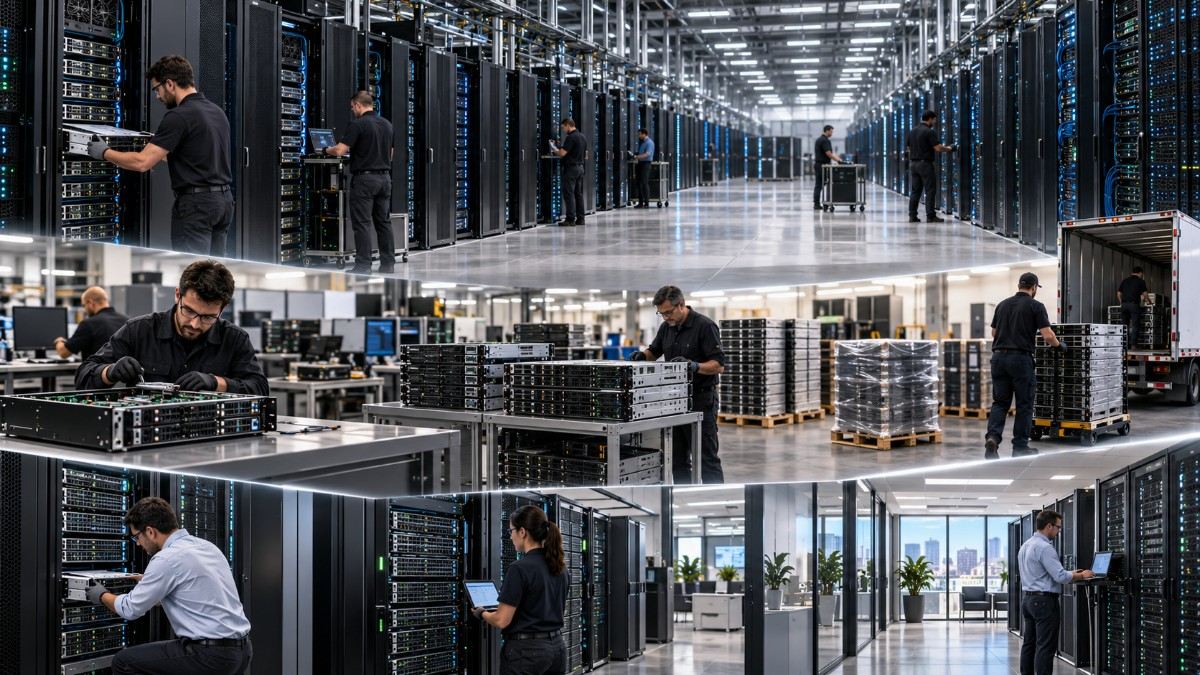
When hyperscale’s, large cloud and internet operators upgrade to a newer generation of GPUs and AI servers, their older hardware does not automatically become obsolete. Much of that capacity can move to a different job. A GPU that is no longer the best choice for frontier-scale model training may still fit production inference, fine-tuning, retrieval-augmented generation (RAG), research, development, or high-performance computing (HPC).
This movement is the AI capacity cascade. Hardware shifts down the workload stack as newer platforms take the most demanding jobs. Some systems remain inside the same organization and are redeployed. Others enter the secondary market, become spare capacity, or move through IT asset disposition (ITAD).
The key question is not simply, “How old is this GPU?” It is, “Does this hardware still meet the workload, cost, support, power, memory, and deployment requirements?” When the answer is yes, previous-generation AI infrastructure can still have meaningful operational and economic value.
Key Takeaways
- AI capacity does not disappear after a hyperscaler refresh. GPUs and servers can move from frontier workloads to inference, fine-tuning, RAG, development, research, HPC, or secondary deployments.
- Hyperscalers upgrade for more than raw GPU speed. Memory capacity and bandwidth, interconnects, networking, inference throughput, training time, power, rack density, and software features can all affect the upgrade case.
- Older does not mean unsuitable. NVIDIA A100-class systems, for instance, remain supported for training and inference workloads, while current cloud catalogs continue to offer several GPU generations at the same time.
- The cascade extends beyond GPUs. Servers, CPUs, memory, NICs, switches, storage, optics, PSUs, cables, rails, and spare parts may also retain value.
- Condition and compatibility matter as much as generation. Buyers need to verify provenance, testing, form factor, firmware, licensing, warranty, support, power, and full-system compatibility before deploying secondary hardware.
What Is the AI Capacity Cascade?
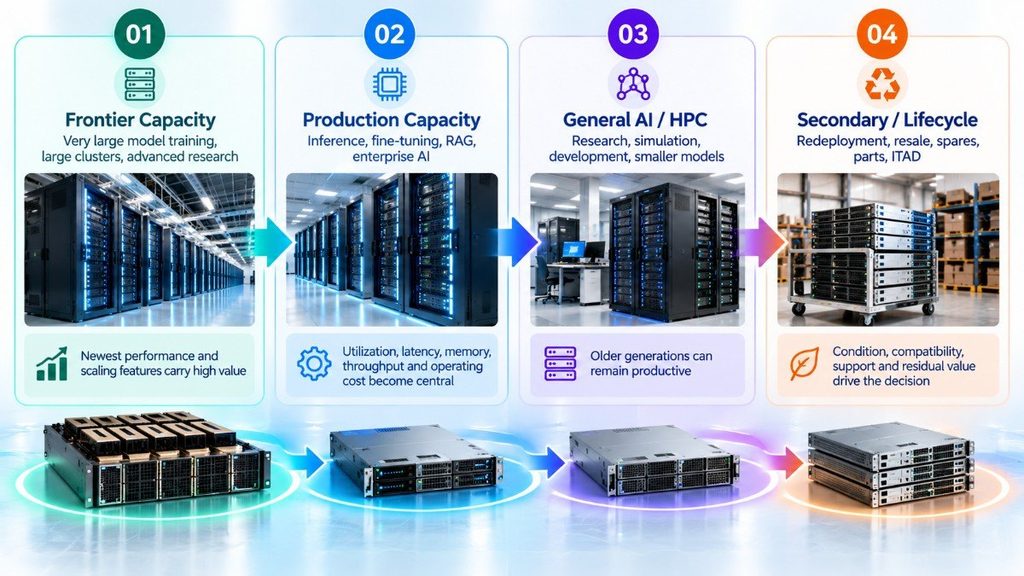
The AI capacity cascade describes how computing hardware can move to new roles when the largest AI operators adopt newer systems.
Think of it as a workload ladder:
Frontier training → production inference → fine-tuning and RAG → enterprise and research AI → development/HPC → secondary deployment → ITAD, parts recovery, or recycling
A normal server refresh cycle strategy already asks whether equipment should be upgraded, replaced, redeployed, or sold. AI adds another layer because the value of a GPU depends heavily on workload requirements.
A three-year-old accelerator can be too slow for one workload and more than adequate for another.
| Stage in the cascade | Typical workload | What changes |
| Frontier capacity | Very large model training, large clusters, advanced research | Newest performance and scaling features carry high value |
| Production capacity | Inference, fine-tuning, RAG, enterprise AI | Utilization, latency, memory, throughput, and operating cost become central |
| General AI/HPC | Research, simulation, development, smaller models | Older generations can remain productive |
| Secondary/lifecycle | Redeployment, resale, spares, parts, ITAD | Condition, compatibility, support, and residual value drive the decision |
The cascade does not mean every old GPU automatically finds a second life. Some hardware may have poor efficiency, limited memory, unsupported software, damaged components, or an unsuitable form factor.
The idea is simpler: a hardware refresh and the end of useful life are not the same event.
Why Do Hyperscalers Upgrade GPUs and AI Servers?
Hyperscalers run infrastructure at a scale where small improvements can matter across thousands of accelerators.
They may upgrade because a new generation can reduce training time, support larger models, improve inference density, increase memory bandwidth, or connect GPUs more efficiently.
NVIDIA, for example, positions H100 as a major step beyond A100 for large AI workloads. Its published H100 results show up to 4X higher training performance for a specified GPT-3 workload and much larger gains for some large-model inference tests. Those figures are vendor benchmarks and are workload-specific, so they should not be treated as universal performance gains. They do show why a frontier operator may have a strong reason to move forward.
AWS also continues to document both A100-based P4 and H100-based P5 systems. Its P5 architecture increases GPU memory, interconnect bandwidth, and network capacity compared with the earlier P4d configuration.
Before treating a newer generation as an automatic upgrade, however, teams should define what they actually need. A structured enterprise GPU assessment should consider workload size, precision, memory, network design, utilization, software support, power, and expected growth.
What usually drives an AI hardware upgrade?
| Upgrade driver | Why it matters | When it may justify newer hardware |
| Training speed | Faster training shortens iteration cycles | Large or frequently retrained models |
| GPU memory | Larger models and batches need more HBM | Models cannot fit efficiently on existing GPUs |
| Memory bandwidth | Moves data to compute units faster | Memory-bound AI and HPC jobs |
| Interconnect | Helps GPUs work together at scale | Multi-GPU and multi-node training |
| Inference throughput | More output can be served per system | High-volume production AI |
| Power and rack density | Data centers have physical limits | Power or cooling is restricting growth |
| New precision/features | New architectures add AI-specific functions | Software can use those features effectively |
The newest system can therefore make sense for the highest-value workload without making the previous system worthless.
That difference creates the cascade.
What Happens to Older GPUs After an Upgrade?
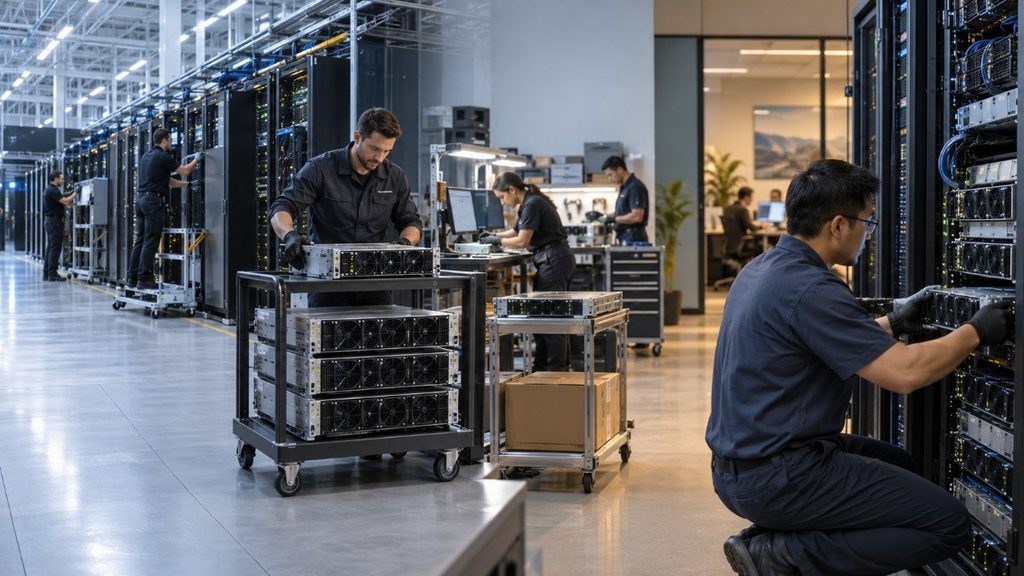
There is no single path.
Public cloud providers do not publish the disposition history of every physical GPU they remove or reassign. However, their current service catalogs show that several generations can remain economically useful at the same time.
As of August 2026, Google Cloud documents systems using A100, H100, H200, B200, and newer platforms. It specifically describes its A100-based A2 series as suitable for fine-tuning and cost-optimized inference.
AWS likewise continues to document A100-based P4 instances alongside H100 and H200 P5 families. Its deep-learning guidance also lists older V100, T4, and other GPU options.
That coexistence is important. A new generation does not instantly remove the economic role of the previous one.
Older GPUs and AI servers can take several paths.
1. Internal redeployment
The operator may move the system to a workload that does not require frontier performance.
Possible roles include:
- Production inference
- Model fine-tuning
- RAG pipelines
- Development and testing
- Internal AI tools
- Research
- Batch processing
- HPC
- Backup or overflow capacity
This is often the first form of the capacity cascade because no ownership transfer is required.
2. Continued use as a different capacity tier
An organization may keep newer GPUs for its hardest jobs while running steady or less demanding work on existing hardware.
This creates a multi-generation fleet.
The approach can improve asset use, but it also adds operational questions around drivers, firmware, schedulers, spare parts, monitoring, and support.
Teams planning mixed GPU environments should therefore think beyond the accelerator itself. The way NVIDIA GPUs fit into AI and HPC deployments depends on the server, fabric, storage, software, and workload around them.
3. Sale into the secondary market
Some equipment can leave the original operator and become available to another enterprise, AI lab, hosting provider, research group, or infrastructure buyer.
The market is becoming more structured. In Q3 2026, Compute Exchange describes an institutional market for pre-owned, refurbished, and OEM-surplus data-center GPUs, including H100, A100, L40S, and V100 classes. That marketplace is one market signal, not proof that every GPU has strong resale demand or that every listed unit has the same condition.
Secondary-market value can also move quickly. Generation changes, supply, quantity, condition, memory configuration, form factor, and warranty all affect pricing. That is why refurbished IT hardware prices fluctuate rather than following one fixed depreciation curve.
4. Spare-parts and lifecycle use
Not every system needs to return to production as a complete AI server.
Some units can support an existing fleet as:
- Hot or cold spares
- Replacement memory
- NICs and network adapters
- Storage
- Power supplies
- Fans
- Cables and optics
- Rails and chassis components
- Tested replacement parts
For operators maintaining a mixed-generation environment, spare availability can be part of the business case for keeping older infrastructure.
5. ITAD, recovery, or recycling
Equipment that no longer fits an operational role may enter IT asset disposition.
A structured process can identify systems worth reselling, parts worth recovering, assets requiring secure data handling, and equipment that should be recycled.
Organizations already asking what happens to old enterprise servers after an upgrade should apply the same lifecycle logic to AI servers rather than assuming a GPU refresh requires immediate disposal.
Can Older GPUs Still Be Used for AI Inference?
Yes, if their memory, throughput, latency, software, power, and reliability fit the workload.
This is one of the most important parts of the AI capacity cascade.
Training and inference place different demands on infrastructure.
Training builds or updates a model. It can require large GPU clusters, fast interconnects, high memory bandwidth, and very high compute throughput.
Inference uses an already trained model to produce an answer, prediction, image, classification, or other output. Depending on model size and traffic, inference may run efficiently on hardware that is no longer the preferred choice for frontier training.
NVIDIA’s own A100 documentation supports both training and inference. A100 also includes Multi-Instance GPU, or MIG, which allows a physical GPU to be divided into as many as seven isolated GPU instances. That can improve utilization for smaller jobs.
Google Cloud currently describes A100-based A2 systems as suitable for model fine-tuning, large models, and cost-optimized inference.
Training vs. inference use of older GPUs
| Workload | Older GPU potential | Main decision factors |
| Frontier-scale training | Lower | Training time, HBM, interconnect, cluster scaling, newest precision support |
| Fine-tuning | Medium to high | Model size, memory, method used, batch size, time target |
| Batch inference | High for many workloads | Throughput, utilization, memory, cost per output |
| Real-time inference | Workload dependent | Latency, concurrency, model size, SLA |
| RAG | Often suitable | Model size plus CPU, RAM, storage, vector database and network needs |
| Development/test | High | Availability, software support, developer needs |
| HPC/research | Workload dependent | FP64/FP32 needs, memory bandwidth, libraries, interconnect |
This table is a decision guide, not a universal ranking.
An A100 can be an excellent fit for one inference workload and a poor fit for another. A newer H100 or later-generation accelerator may justify its cost when lower latency, greater throughput, larger memory, or higher density materially changes the project economics.
Why Inference Can Extend the Useful Life of a GPU
Production inference often shifts the question from maximum performance to useful output at the required service level.
A team may care more about:
- How many requests the system handles
- Cost per inference or token
- Response latency
- Concurrent users
- GPU utilization
- Model memory footprint
- Power use
- Reliability
- Software support
- Capacity available today
That changes the buying decision.
Suppose an older GPU meets a production latency target and stays well utilized. Replacing it only because a newer architecture exists may provide little business value.
Now suppose the same system cannot fit the model, cannot meet the latency target, consumes too much facility capacity, or requires far more nodes than a new platform. The new generation may be the better economic choice.
The workload decides.
The Cascade Is Bigger Than the GPU
A GPU server is a system, not a card in isolation.
When AI capacity moves downstream, other hardware can move with it:
GPU → CPU → system memory → local storage → NICs → fabric → switches → optics → power → cooling → spares
This matters because a usable GPU does not guarantee a deployable server.
Memory population, PCIe topology, GPU form factor, NIC support, firmware, PSU capacity, rack power, cooling, and cables may determine whether a configuration can actually run.
Teams planning their own systems should treat a GPU server build as a full-platform compatibility problem rather than starting and ending with the accelerator model.
The OEM platform also matters. A GPU that is technically capable may still require a server with the correct BIOS support, power design, cooling, risers, firmware, and validated configuration. Those same full-stack questions apply when teams evaluate integrated HPE AI infrastructure options or mixed-OEM environments.
Used, Refurbished, Recertified, and OEM-Surplus Are Not the Same
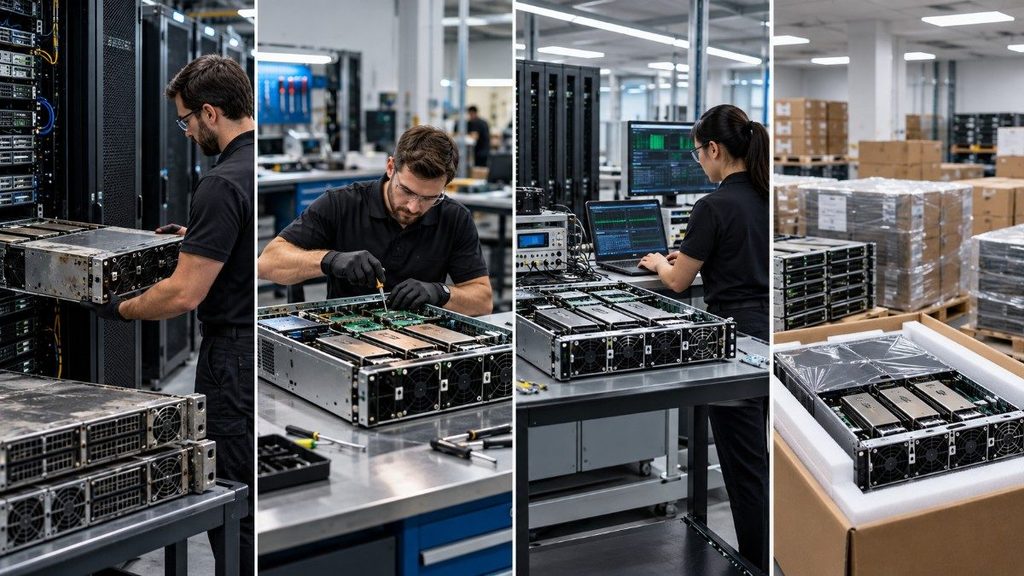
A mature AI secondary market needs precise terms.
Used or pre-owned equipment has been deployed before. Condition, operating history, testing, and warranty can vary.
Refurbished hardware has normally gone through some inspection, testing, repair, cleaning, or validation process. The exact process varies by supplier.
Recertified usually indicates a defined inspection or qualification process, but buyers should ask who performed it and what the certification covers.
OEM-surplus can refer to unused or excess equipment that entered the market outside a normal end-customer deployment. Provenance and warranty rights still need verification.
The label alone is not enough.
Catalyst Data Solutions Inc. Procurement Lens: What Buyers Should Verify
When previous-generation AI hardware enters the secondary market, price and availability are only part of the decision. Buyers should confirm that the equipment can be identified, tested, supported, and integrated into the target environment. This matches the brief’s guidance to use Catalyst’s Data Solutions experience to show what a real infrastructure team would verify before committing.
- Hardware identity and condition: Confirm the manufacturer, model, part number, serial number, GPU memory, form factor, physical condition, and provenance.
- Testing and compatibility: Review test results and verify server support, BIOS, firmware, drivers, risers, power supplies, and cooling requirements.
- Network and system fit: Check compatibility with NICs, switches, optics, storage, cables, and the wider infrastructure design.
- Warranty and support: Confirm any remaining OEM warranty, seller warranty, software or licensing needs, replacement-part availability, and required support SLA.
- Deployment and compliance: Validate rack power, cooling, facility requirements, and any applicable destination, end-user, end-use, or export-control requirements.
A lower purchase price does not create value if the hardware cannot be deployed, supported, or kept in service for the intended workload.
Should Buyers Choose an Older GPU Available Now or Wait for a Newer One?
There is no universal answer.
The decision should compare workload fit, total project cost, deployment date, and useful life rather than GPU generation alone.
| Question | Older capacity available now may fit when… | Waiting for newer hardware may fit when… |
| Does the workload fit? | Current memory and performance meet the target | New features materially change workload feasibility |
| How important is time? | A delay would hold up deployment or revenue | Schedule is flexible |
| What is utilization? | Workload can keep the equipment productive | Existing hardware would remain underused |
| What is the lifecycle plan? | Support, spares, and an exit path are clear | Older platform creates near-term support risk |
Availability can have economic value, but it should not become an excuse to buy the wrong platform.
A team should also consider the end of the ownership cycle before purchase. A structured IT asset disposition strategy can reduce hardware refresh costs when resale and recovery are planned rather than treated as an afterthought.
What a Mature Secondary AI Market Changes
The biggest change is not simply cheaper access to GPUs.
A mature secondary market can give infrastructure teams more capacity choices.
Instead of viewing AI hardware as either “new” or “obsolete,” buyers can build different tiers around different workloads. Frontier systems can handle the jobs that truly require them. Previous-generation systems can support suitable production, research, development, and HPC workloads. Cloud capacity can absorb bursts. Secondary hardware can add owned capacity where the economics and support model make sense.
Lifecycle planning also becomes more important.
When equipment retains a useful second role or residual value, refresh planning should include redeployment, resale, parts recovery, and responsible disposition. That same approach can support data-center e-waste reduction by keeping usable equipment and components in service when doing so is technically and economically sound.
The goal is not to keep every GPU forever.
The goal is to put each asset where it creates the most value.
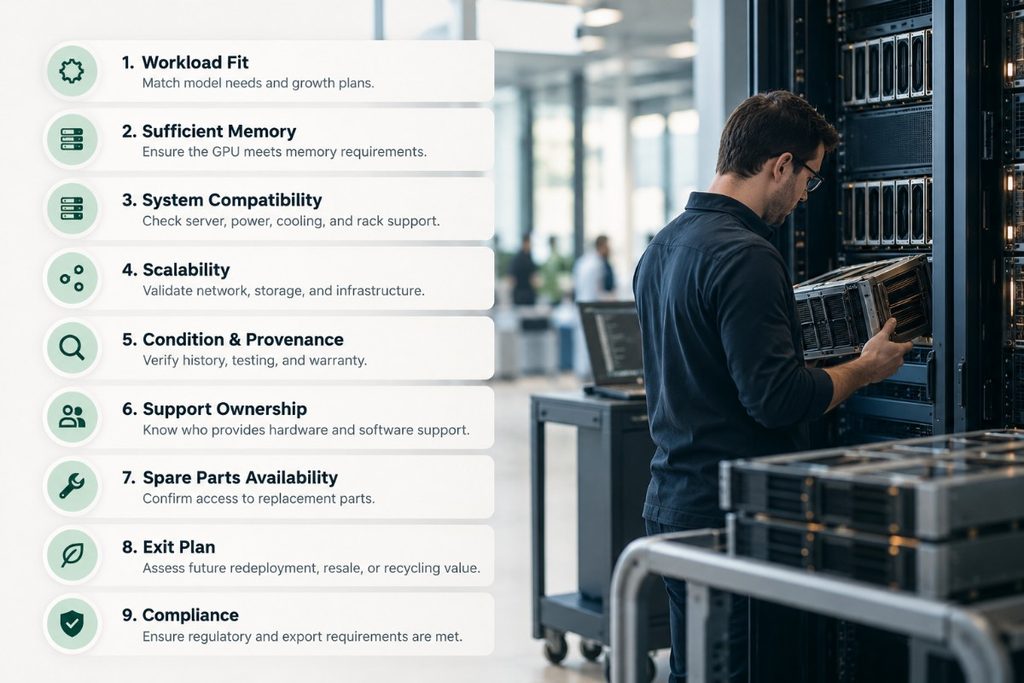
Buyer Diligence Checklist
Before buying or redeploying previous-generation AI infrastructure, answer these questions:
- What workload will run on it? Define model size, precision, latency, throughput, concurrency, training or inference needs, and expected growth.
- Does the GPU have enough memory? A low-cost accelerator is not useful if the model cannot fit or requires an inefficient design.
- Does the complete server support the GPU? Check form factor, PCIe or SXM design, BIOS, firmware, PSU, cooling, and rack requirements.
- Can the system scale correctly? Validate NICs, switches, optics, interconnects, storage, and network topology.
- What is the condition? Ask for provenance, serial information, testing procedures, results, and warranty terms.
- Who owns support? Determine what the OEM, hardware supplier, software vendor, or third-party support provider will cover.
- What happens if a part fails? Check spare GPU, memory, NIC, PSU, fan, storage, and other replacement-part availability.
- What is the exit plan? Estimate redeployment, resale, ITAD, and parts value before assuming the equipment will be worth zero.
- Are compliance requirements clear? Confirm applicable destination, end-user, end-use, and export requirements before an international transaction.
What the AI Capacity Cascade Means for Infrastructure Planning
A hyperscaler upgrade does not automatically mark the end of useful life for older GPUs and AI servers. The better question is whether the hardware still fits a workload well enough to justify its cost, power use, support needs, and remaining lifecycle value.
For infrastructure teams, the AI capacity cascade means:
- Newer GPUs should go where their added performance matters most. Frontier training, high-volume inference, and memory-heavy workloads may justify the latest architecture.
- Previous-generation GPUs can still have a useful role. Suitable systems may support inference, fine-tuning, RAG, research, development, HPC, and other less demanding workloads.
- Availability can matter as much as generation. Hardware that meets the requirement and can deploy now may be more useful than a newer platform that is delayed or difficult to source.
- The full server matters, not just the GPU. Memory, networking, storage, firmware, power, cooling, and spare-part availability can determine whether older capacity is practical.
- Lifecycle planning should begin before purchase. Redeployment, resale, parts recovery, support, and ITAD can affect the real cost of owning AI infrastructure.
The goal is not to keep older GPUs in service at any cost. It is to match each generation of hardware to the workload where it can still deliver useful, supportable, and cost-effective capacity.
Frequently Asked Questions
How long can an enterprise GPU remain useful after a hyperscaler upgrade?
There is no fixed useful-life period for an enterprise GPU. Its value depends on the workload, memory capacity, software support, power use, hardware condition, and performance requirements.
A GPU may stop being competitive for frontier training while remaining useful for inference, development, research, or HPC for much longer.
Can different GPU generations run in the same AI environment?
Yes, but mixed-generation environments need careful planning. Different GPUs may have different memory sizes, performance levels, power needs, drivers, and interconnect capabilities.
Teams should also confirm that their AI framework, scheduler, firmware, and management tools can handle the mix without creating unnecessary operational problems.
How should buyers test a secondary-market GPU before deploying it?
Testing should go beyond checking whether the GPU powers on. Buyers should verify the exact model and memory configuration, review hardware health, run sustained workload tests, check temperatures, and confirm that the server recognizes the GPU correctly.
For production use, testing should also include the intended AI workload rather than relying only on a generic benchmark.
Do used enterprise GPUs include the same software and support rights as new hardware?
Not always. Hardware ownership does not automatically mean that every OEM warranty, software license, firmware entitlement, or support agreement transfers to the next owner.
Buyers should confirm these terms before purchase, especially when the GPU is part of an OEM server platform.
Is it better to resell individual GPUs or complete AI servers?
It depends on the equipment and the market. Individual GPUs may appeal to buyers upgrading compatible systems, while complete servers may carry more value when the CPU, memory, storage, networking, chassis, and GPUs remain useful as a tested configuration.
Before breaking down a system for parts, owners should compare the expected value of the complete server, individual components, redeployment, and ITAD.